Version: 2.3 Last Updated: 17 Feb 2017 Release: 14 Jan 2013 Category: Office tools
Rate this software:
182 downloads
View Screenshots(1)
Comments
Download
Liked it? Tell others:
Apex Watermarking on PDFs Details
Works on: Windows 10 | Windows 8.1 | Windows 8 | Windows 7 | Windows XP | Windows 2000 | Windows 2003 | Windows 2008 | Windows Vista | Windows 2012 SHA1 Hash: d1e943e6754ab388d2db81bd830be8945aea12e6 Size: 3.5 MB File Format: exe
Rating: 2.3
out of 5
based on 23 user ratings
Publisher Website: External Link Downloads: 182 License: Demo / Trial Version
Apex Watermarking on PDFs is a demo software by Watermarking On Pdfs and works on Windows 10, Windows 8.1, Windows 8, Windows 7, Windows XP, Windows 2000, Windows 2003, Windows 2008, Windows Vista, Windows 2012.
You can download Apex Watermarking on PDFs which is 3.5 MB in size and belongs to the software category Office tools. Apex Watermarking on PDFs was released on 2013-01-14 and last updated on our database on 2017-02-17 and is currently at version 2.3.
Thank you for downloading from SoftPaz! Your download should start any moment now. It would be great if you could rate and share:
Rate this software:
Share in your network:
Apex Watermarking on PDFs Description
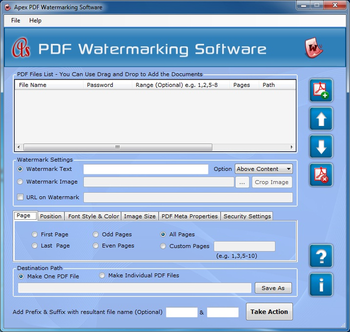
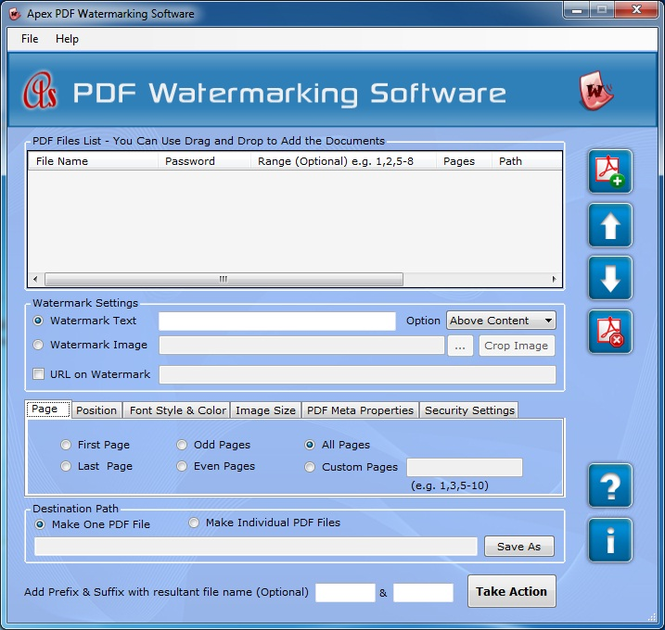
Watermarking on PDFs permitted you to add text, image, logo, time, date, web URL, stamp and page number on PDF file. Application allow to set watermark in different format like header, footer, left, right, top, middle, right, left etc. You can select pages for placing watermark like first page, last page, odd page, even page, all pages and custom pages. Software offer you to change image size by using several option like current image size, original size, fit to page size and custom size. Program allows creating single as well as multiple PDF file as per your requirement. Tool offer you to create effective file name for using suffix and prefix option. Features: * Application allows adding watermark on PDF file. * You can add text, image, web URL, logo, date, time, stamp and page number as a watermark. * You can work with several features like page, position, image size, font style and color, PDF Meta properties and security setting. * You can resize image at different level also can be change font style and font size. * You can select color as per your need. * You can change Meta properties like title, author, subject and keyword. * You can add sub-string with resultant file name for making effective file naming. * You can work with both 32 and 64 bit operating system as well as can be use all Window operating system like XP, Vista, NT, 2000, 7 etc.
Where to buy?
Last updated price and discount information 9 years agoupdate now



 Windows 2000 and above
 View Screenshots(1)
 Comments
 Download





 Similar Software


 Recently Searched
 Software Categories
 Trending Software


 Like Us
