Works on: Windows 10 | Windows 8.1 | Windows 8 | Windows 7 | Windows 2012 SHA1 Hash: 703fe32433460fb44da44af3bb4e5b3b5c9e3d64 Size: 3.47 MB File Format: exe
Rating: 2.0
out of 5
based on 23 user ratings
Downloads: 173 License: Free
BMClock is a free software by Blackmoon Studio and works on Windows 10, Windows 8.1, Windows 8, Windows 7, Windows 2012.
You can download BMClock which is 3.47 MB in size and belongs to the software category Clocks and Time Management. BMClock was released on 2014-03-13 and last updated on our database on 2017-02-20 and is currently at version 2.
Thank you for downloading from SoftPaz! Your download should start any moment now. It would be great if you could rate and share:
Rate this software:
Share in your network:
BMClock Description
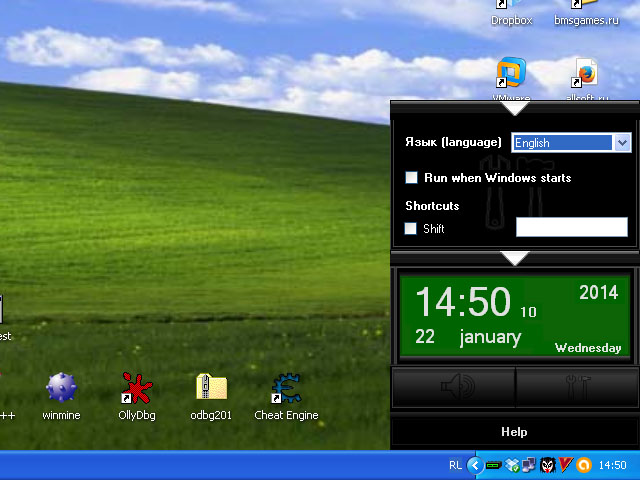
We'd like to present BMClock - the new alarm clock for the Windows desktop! BMClock has a big display where you can find not only a current time, but also a date and a day of the week. The display is big enough for watching the time even when you stand far from your computer. If you want to show/hide the clock fast, you can use shortcut keys, which can be set in the options window. Would you like to use BMClock everyday, or from time to time? Set the autorun as you want in the options window!
Sometimes we play a computer game or watch an interesting movie and forget about something important. To avoid situations like this BMClock has the alarm function that can remember ten events! You can set a certain date and time for every event that you'd like to be reminded in the alarm editor window. Maybe, the event take place everyday? Just set checkbox checked and BMClock will notify you about the event in the same time everyday! When you set the time and the date of the event and wrote some description you have to activate alarm by click the appropriate button in the alarm editor window. Alarm indicator will be lighted and BMClock will remind you about the event with a sound and a special notification window.
In this version of the BMClock there is a special 'game mode'. In this mode notification windows don't minimize fullscreen applications such games and video players. Moreover you can turn off the alarm sound with the hotkeys, set in the options window, without exit from full screen mode.
We hope, you will like BMClock and find it useful!



 Windows 7 and above
 View Screenshots(1)
 Comments
 Download




 Similar Software


 Recently Searched
 Software Categories
 Trending Software
 Like Us


