Works on: Windows 10 | Windows 8.1 | Windows 8 | Windows 7 | Windows XP | Windows 2000 | Windows 2003 | Windows 2008 | Windows Vista | Windows 2012 SHA1 Hash: 73b8e7436a8939a9e4954cab0d8d4ca695c791e2 Size: 458.97 KB File Format: exe
Rating: 1.7
out of 5
based on 23 user ratings
Downloads: 1303 License: Free
BulkPicMe is a free software by Jeremy Chong Consultancy and works on Windows 10, Windows 8.1, Windows 8, Windows 7, Windows XP, Windows 2000, Windows 2003, Windows 2008, Windows Vista, Windows 2012.
You can download BulkPicMe which is 458.97 KB in size and belongs to the software category Cover editors. BulkPicMe was released on 2010-08-24 and last updated on our database on 2017-04-22 and is currently at version 3.
Thank you for downloading from SoftPaz! Your download should start any moment now. It would be great if you could rate and share:
Rate this software:
Share in your network:
BulkPicMe Description
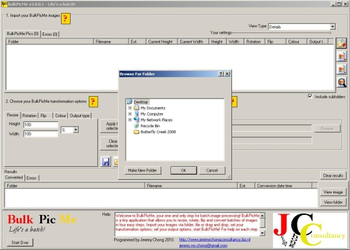
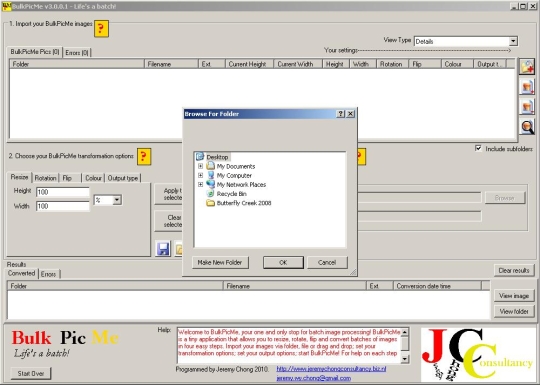
BulkPicMe is a freeware batch image software which can resize, rotate, flip, colour, and convert in four easy steps. Import your images via folder, file, or drag-and-drop; set your transformation options; set your output options; start BulkPicMe. Ability to set any combination of transformation settings to any combination of imported. Tiny in file size. Import folders (subfolders included/excluded). Import multiple images. Allows drag-and-drop of folder and/or files. Images that are not valid will be listed separately. View imported BulkPicMe images by details or with thumbnails (different sizes available). Sort your list-view by columns so you can group BulkPicMe images easily. Resize imported BulkPicMe images by percentage/pixels. Rotate imported BulkPicMe images by 90�°, 180�°, 270�°, or custom. Flip imported BulkPicMe images horizontally, vertically, or both. Convert colour of BulkPicMe images to grayscale, negative, sepia, and black & white. Convert colour to whatever you want with full colormatrix transformation options. Save your custom colormatrix settings. Brighten or darken BulkPicMe images with guidance of a sample thumbnail. Supports and converts to BMP, EMF, EXIF, GIF, ICO, JPEG, PNG, TIFF, or WMF. Change output quality of BulkPicMe images. Save your favourite transformation options for quick opening next time. Preview your changes. Ability to set any combination of transformation settings to any combination of imported images. Ability to overwrite original files with new transformed BulkPicMe images. Choose your output folder. Choose your output filename. Preview your transformed BulkPicMe images before they are exported and saved. Easy step by step design with instructions. Follow your export progress in the progress bar. Check out your results in the results box. Instantly view your converted images or view folder in which they sit.



 Windows XP and above
 View Screenshots(1)
 Comments
 Download




 Similar Software


 Recently Searched
 Software Categories
 Trending Software


 Like Us


