Works on: Windows 10 | Windows 8.1 | Windows 8 | Windows 7 | Windows 2012 SHA1 Hash: 7798a78b1abd4ee6359429e616efb6cc4b8152f3 Size: 1.78 MB File Format: exe
Rating: 2.0
out of 5
based on 23 user ratings
Publisher Website: External Link Downloads: 241 License: Demo / Trial Version
ConnectCode SparkCode Professional is a demo software by Connectcode Pte Ltd and works on Windows 10, Windows 8.1, Windows 8, Windows 7, Windows 2012.
You can download ConnectCode SparkCode Professional which is 1.78 MB in size and belongs to the software category Other Office Tools. ConnectCode SparkCode Professional was released on 2009-08-06 and last updated on our database on 2017-02-27 and is currently at version 2.
Thank you for downloading from SoftPaz! Your download should start any moment now. It would be great if you could rate and share:
Rate this software:
Share in your network:
ConnectCode SparkCode Professional Description
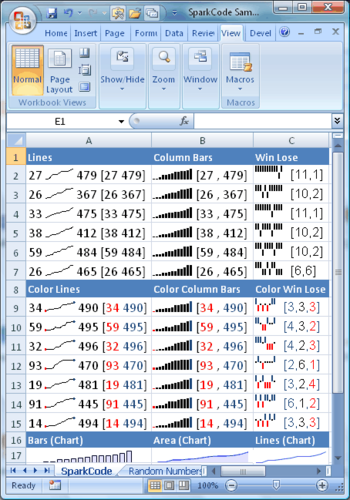
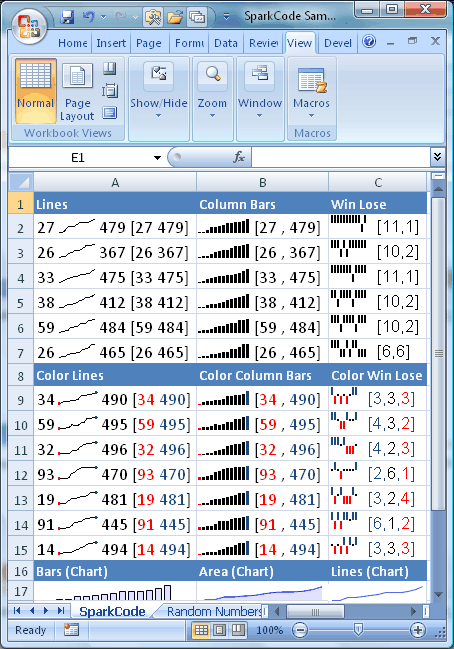
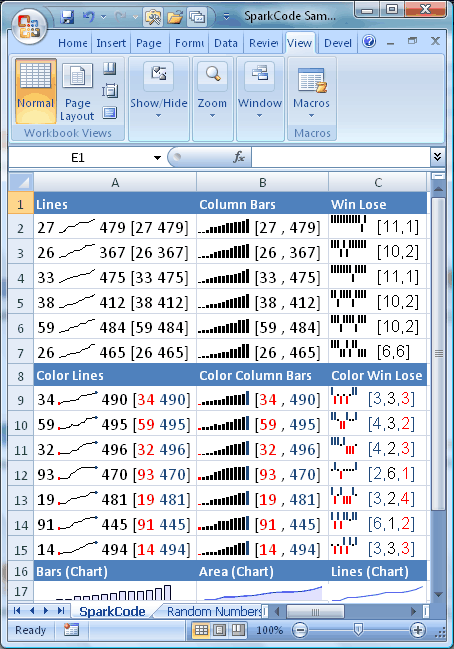
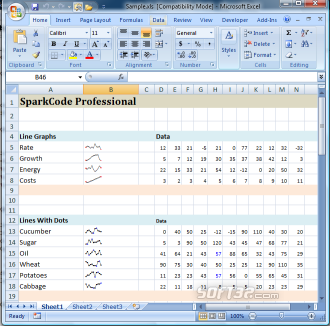
SparkCode Professional is an add-in for Excel that lets you create sparklines - data intense, design simple graphics that are as small as a cell - using TrueType fonts. It is a valuable tool for creating professional dashboard reports in Excel for visualizing trends and comparing vast quantities of data.
With SparkCode, you will be able to create quality dashboard reports in just a few simple steps. The software provides a very easy to use interface that aids the generation of different chart types by guiding users through the flow and allows users to customize the charts with various options. The graphics in SparkCode are implemented as font glyphs, which means the charts (lines, columns, dots) are actually a string of text that are easily portable to third party softwares that support text and fonts. As a result of this, the charts are about the same size as the words around them, and you can present them very elegantly by embedding them within a paragraph of text of your favorite word processor.
With SparkCode Professional, you will be able to
1)Produce powerful intense graphics, condensed into a single cell or the size of a word
2)Consolidate all your information using many of these tiny graphics into a single worksheet
3)Get all the information you need in a single screen
4)Visualize large quantities of data for different scenarios
5)Compare and spot trends to get the big picture
6)Create different types of graphs like Sparklines, Columns, Bullet Graphs and Bar Graphs
Where to buy?
Last updated price and discount information 9 years agoupdate now



 Windows 7 and above
 View Screenshots(3)
 Comments
 Download





 Similar Software


 Recently Searched
 Software Categories
 Trending Software


 Like Us


