Version: 1.7 Last Updated: 24 Feb 2017 Release: 25 Oct 2011 Category: Programming > SDK DDK
Rate this software:
100 downloads
View Screenshots(2)
Comments
Download
Liked it? Tell others:
CU3OX Details
Works on: Windows 10 | Windows 8.1 | Windows 8 | Windows 7 | Windows XP | Windows 2000 | Windows 2003 | Windows 2008 | Windows Vista | Windows 2012 SHA1 Hash: 287d5356c945786260c4025d98b7c2d2c4e2d6d5 Size: 10.16 MB File Format: zip
Rating: 2.4
out of 5
based on 23 user ratings
Downloads: 100 License: Free
CU3OX is a free software by Cu3ox.com and works on Windows 10, Windows 8.1, Windows 8, Windows 7, Windows XP, Windows 2000, Windows 2003, Windows 2008, Windows Vista, Windows 2012.
You can download CU3OX which is 10.16 MB in size and belongs to the software category SDK DDK. CU3OX was released on 2011-10-25 and last updated on our database on 2017-02-24 and is currently at version 1.7.
Thank you for downloading from SoftPaz! Your download should start any moment now. It would be great if you could rate and share:
Rate this software:
Share in your network:
CU3OX Description
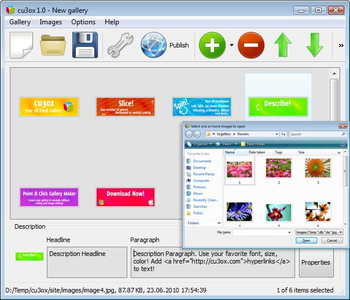
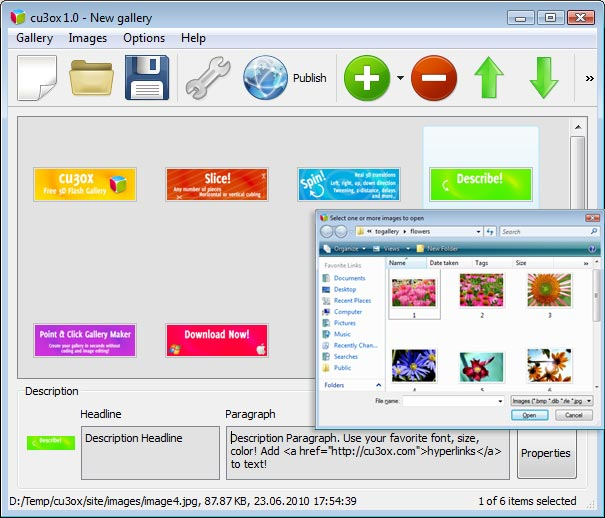
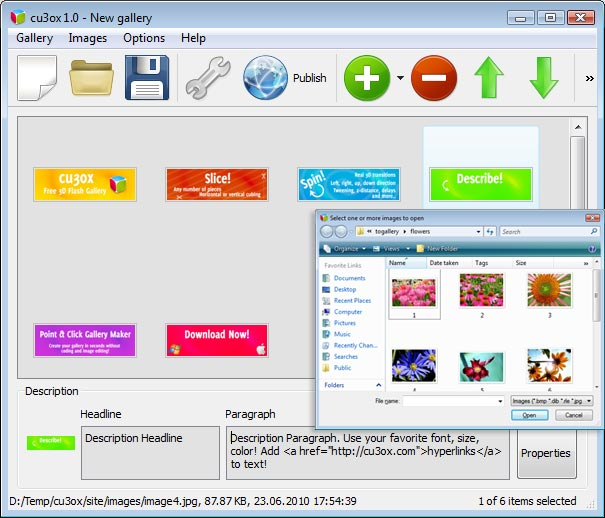
With CU3OX you can create an attractive image slider with cool 3D slice effects and transitions between slides. You'll be able to divide your images into any number of pieces and rotate them the way you like! CU3OX uses the Tweener engine, which makes it support several tween types for the transitions, such as Cubic, Bounce or Elastic. Use CU3OX to create content slider, image galleries, image & banner rotator for your website. You don't need to have any professional skills in Flash, HTML, CSS and Javascript. All need files and html code will be generated in CU3OX visual interface for Windows OS. Just open images in CU3OX program, specify the description and adjust transition properties for each image. Publish the 3D Flash Gallery to a local drive or directly to the Internet via a built-in FTP client and add the HTML embed code on your website or blog. As a result you'll have .swf (flash) file that requires an XML configuration file in which the paths to the existing images and settings, necessary for handling those, are defined. You can also define the appearance in terms of font-family, font-style, color, etc. in an external CSS file, making customization really easy. Key Features: * Customize the number of pieces, tween type, z-distance, distance, time, delay and more. Horizontal or vertical cubing. * Specify the description for each image. Use your favorite font, size, color! Add hyperlinks to text! * Images are loaded on the fly - no loading times in between. * No limit on number of images. * Real 3D transitions. Left, right, up, down direction. Visual Interface: * Windows version of Visual interface. * Use photos directly from Flickr, Picassa or PhotoBucket in your image slider. * Built-in FTP client. * Tween types for the transitions, such as Cubic, Bounce or Elastic ... * Cross-browser support. * Make changes in XML file directly (add images, change animation, descriptions.. )



 Windows 2000 and above
 View Screenshots(2)
 Comments
 Download




 Similar Software


 Recently Searched
 Software Categories
 Trending Software

 Like Us


