Works on: Windows 10 | Windows 8.1 | Windows 8 | Windows 7 | Windows XP | Windows 2000 | Windows 2003 | Windows 2008 | Windows Vista | Windows 2012 SHA1 Hash: 9f085d3a5cc232abe10e701ea5895355ce3def95 Size: 59.35 MB File Format: zip
Rating: 2.2
out of 5
based on 23 user ratings
Publisher Website: External Link Downloads: 1049 License: Demo / Trial Version
DBConvert for Oracle and MS SQL is a demo software by Dmsoft Technologies and works on Windows 10, Windows 8.1, Windows 8, Windows 7, Windows XP, Windows 2000, Windows 2003, Windows 2008, Windows Vista, Windows 2012.
You can download DBConvert for Oracle and MS SQL which is 59.35 MB in size and belongs to the software category Databases Tools. DBConvert for Oracle and MS SQL was released on 2010-06-22 and last updated on our database on 2017-04-16 and is currently at version 1.
Thank you for downloading from SoftPaz! Your download should start any moment now. It would be great if you could rate and share:
Rate this software:
Share in your network:
DBConvert for Oracle and MS SQL Description
DBConvert for Oracle and MS SQL is a database migration tool which
performs two-way conversion from Oracle databases to MS SQL server
and from MS SQL to Oracle. The tool is also applicable for MS SQL
database migration to another MS SQL database and is quite adept at
copying a Oracle database to another Oracle database.
DBConvert for Oracle and MS SQL provides the bulk of functional
capabilities such as interactive (GUI) mode/command line mode, saving
data into a MS SQL Dump or PHP-script for further export to MS SQL database, task
planner scheduling, data mapping, data filtering, preverification of
possible conversion errors, etc.
You can convert Oracle to MS SQL or MS SQL to Oracle simply by
configuring several options through a Wizard interface or in command
line mode. Command line parameters added to a scheduling function
enables you to automatically synchronize or convert data regularly
without user input and supplementary settings.
DBConvert for Oracle and MS SQL provides you with the ability to
create Dumps and PHP-scripts for indirect data uploading on MS SQL thereby offering a
workaround to possible server restrictions.
Filtering data during conversion allows you to retrieve only specific
data for converted tables according to defined filtering criteria.
Filters give you more control on the data migration process.
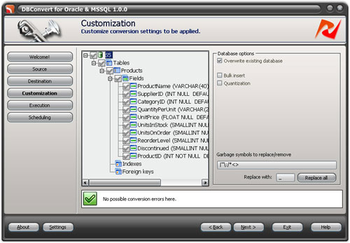
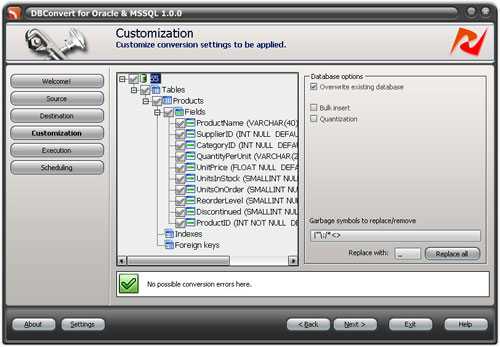
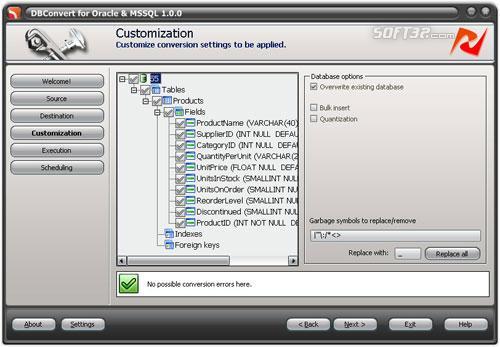
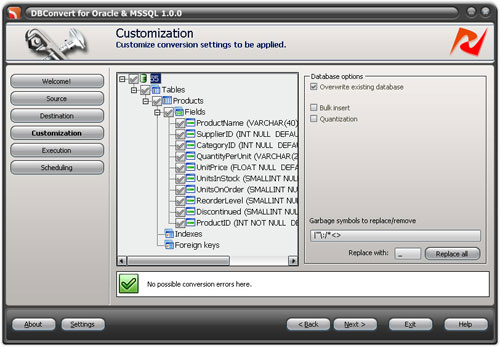
Possible conversion errors can be detected before the conversion
process gets started. The tool displays errors and potential problems
with your table objects beforehand.
Where to buy?
Last updated price and discount information 9 years agoupdate now



 Windows 2000 and above
 View Screenshots(3)
 Comments
 Download





 Similar Software


 Software Categories
 Trending Software


 Like Us

 Recently Searched