Version: 5 Last Updated: 04 Mar 2017 Release: 09 Aug 2012 Category: CD DVD Blu-ray Tools
Rate this software:
1075 downloads
View Screenshots(3)
Comments
Download
Liked it? Tell others:
DDVideo Flash(SWF) to RM Converter Gain Details
Works on: Windows 10 | Windows 8.1 | Windows 8 | Windows 7 | Windows 2012 SHA1 Hash: 57b259637ba0713d2f105af579f4b3cb4f8987bf Size: 11.06 MB File Format: exe
Rating: 2.0
out of 5
based on 23 user ratings
Publisher Website: External Link Downloads: 1075 License: Demo / Trial Version
DDVideo Flash(SWF) to RM Converter Gain is a demo software by Daydayvideo and works on Windows 10, Windows 8.1, Windows 8, Windows 7, Windows 2012.
You can download DDVideo Flash(SWF) to RM Converter Gain which is 11.06 MB in size and belongs to the software category CD DVD Blu-ray Tools. DDVideo Flash(SWF) to RM Converter Gain was released on 2012-08-09 and last updated on our database on 2017-03-04 and is currently at version 5.
Thank you for downloading from SoftPaz! Your download should start any moment now. It would be great if you could rate and share:
Rate this software:
Share in your network:
DDVideo Flash(SWF) to RM Converter Gain Description
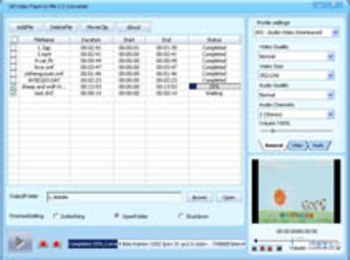
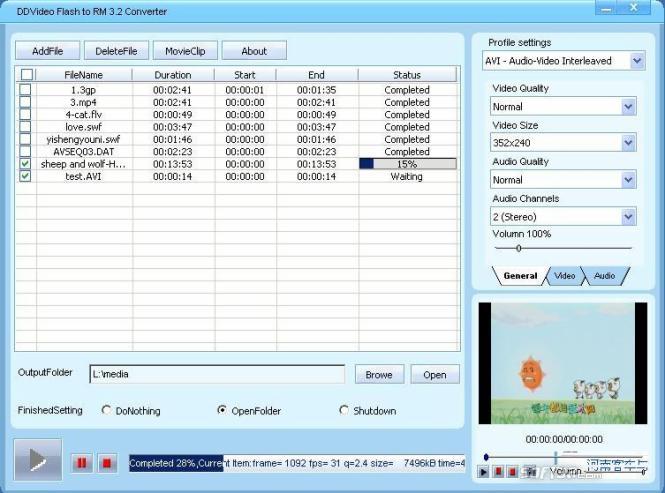
DDVideo Flash(SWF) to RM Video Converter Gain is a handy utility that can convert Macromedia Flash(SWF) files to RMVB/AVI/DivX/MPEG/WMV format,extract audio from Flash(SWF) files to AAC/MP3/WAV/WMA audio format.And it also can convert almost all popular video files including RM,RMVB, DivX, XviD, AVI, WMV, ASF,MPG, MPEG, VOB,DAT, MOV, QT, MP4,PMP,MKV,FLV, 3GP,3GP2 etc to RMVB/AVI/DivX/MPEG/WMV format.
You can preview your video/audio files on the right screen and also can click "movieclip" to edit video files.including:
*Gain TargetVolume you want:gain the volume of video files to the same volume without loss of original sound quality,recommend is 89 db(Friendly Reminder:The sound too large,our hearing will be hurt,please care for health care hearing.)
*Clip any segment of the video files by specifying the StartPoint and EndPoint ;
*Set the video Hue,Brightness, Contrast,Sturation and be shown on the right window,You may compare the two windows and get a satisfying effect;
*Crop video and adjust the output aspect ratio to get the perfect playing effect;
*Capture your favorite pictures when preview video.
If you want to edit swf files:1.add swf files,select a output format and convert it.2.add your swf output files in program window.3.select a specified swf output file and click "MovieEdit"to edit video.
if checked "EnableGain",make all your video and audio files sounds at the same level,each video or music will improve their level to make sound brighter and more enjoyable!It support mp3gain, audio gain,video gain,audio normalize.
It is very easy to use and with extremely fast conversion speed and friendly user interface let you convert any video/audio files with ease.
With DDVideo Flash(SWF)to RM Video Converter Gain,You can get perfect videos(Synchronization of video and audio,no frame loss in conversion,retain the original audio effects).Turn your favorite Flash files/popular video,musics into your mobile device and watch them or share with your family
DDVideo Flash(SWF) to RM Converter Gain Screenshots



 Windows 7 and above
 View Screenshots(3)
 Comments
 Download




 Similar Software


 Recently Searched
 Software Categories
 Trending Software

 Like Us

