Version: 1 Last Updated: 06 Mar 2017 Release: 27 Oct 2008 Category: Office tools
Rate this software:
110 downloads
View Screenshots(1)
Comments
Download
Liked it? Tell others:
Easy Input Details
Works on: Windows 10 | Windows 8.1 | Windows 8 | Windows 7 | Windows XP | Windows 2000 | Windows 2003 | Windows 2008 | Windows Vista | Windows 2012 SHA1 Hash: 87194681d2fae04e36ee80422fbddc1336be42aa Size: 592 bytes File Format: exe
Rating: 2.0
out of 5
based on 23 user ratings
Publisher Website: External Link Downloads: 110 License: Demo / Trial Version
Easy Input is a demo software by Effiworks Software and works on Windows 10, Windows 8.1, Windows 8, Windows 7, Windows XP, Windows 2000, Windows 2003, Windows 2008, Windows Vista, Windows 2012.
You can download Easy Input which is 592 bytes in size and belongs to the software category Office tools. Easy Input was released on 2008-10-27 and last updated on our database on 2017-03-06 and is currently at version 1.
Thank you for downloading from SoftPaz! Your download should start any moment now. It would be great if you could rate and share:
Rate this software:
Share in your network:
Easy Input Description
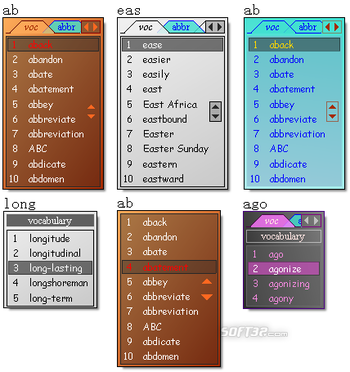
Easy Input aims to improve the efficiency, quality and accuracy of text input. Whenever you will be typing a word, Easy Input will display a list of possible candidates for the auto completion after you entered the first few letters.
For example, if you want to enter ‘efficient’, after you typed ‘effi’, a candidate list containing ‘efficiency’, ‘efficient’, ‘efficiently’ and ‘EffiWorks’ will be shown, and you can select the second item to input ‘efficient’.
You can also use Easy Input to enter email address, favorite URLs etc. conveniently.
For example, you want to enter your friend Jack’s email, after you typed ‘Jack’, a candidate list containing Jack’s email, phone number, address etc. is shown, and then you can select the email address in the list instead of entering all of these letters by yourself.
With this way, you will no longer have to remember by heart these emails, people’s names, phone numbers etc., just put them all in a dictionary of Easy Input and ask Easy Input help you to enter that.
What you can enter with Easy Input depends on the contents of dictionaries, and you can customize dictionaries freely.
Highlight features:
1. You can add or remove words from existing dictionaries or add new dictionaries.
2. Multiple dictionaries can be used in candidate list simultaneously, so you can categorize your data into different dictionaries, for example you can have a Contacts dictionary, a Favorite URL dictionary and so on.
3 You can give meaningful names for the items on candidate list, that is, the text finally entered can be different with what you saw on the list. For example, the text in the candidate list is ‘Jack’s address’, but after you select the item on the list the text are finally entered is ‘12-34 56th Street Suite X Long Island City, NY, 12301, USA’.
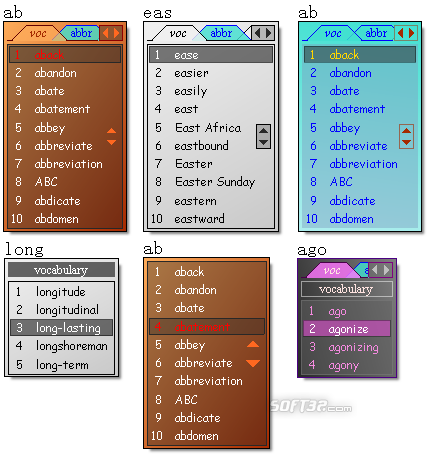
4. Customize appearance of candidate list freely.
For more information please visit www.effiworks.com and download a trial version for free to have a try.
Where to buy?
Last updated price and discount information 9 years agoupdate now



 Windows XP and above
 View Screenshots(1)
 Comments
 Download





 Similar Software


 Recently Searched
 Software Categories
 Trending Software
 Like Us


