Version: 7 Last Updated: 20 Apr 2017 Release: 29 Jul 2008 Category: Business
Rate this software:
139 downloads
View Screenshots(1)
Comments
Download
Liked it? Tell others:
Excel Save Selected Cells As JPG Software Details
Works on: Windows 10 | Windows 8.1 | Windows 8 | Windows 7 | Windows XP | Windows 2000 | Windows 2003 | Windows 2008 | Windows 98 | Windows ME | Windows NT | Windows Vista | Windows 2012 SHA1 Hash: 920d416a24fa2c9c9843c39799988473238b6f3b Size: 5.36 MB File Format: exe
Rating: 2.5
out of 5
based on 23 user ratings
Publisher Website: External Link Downloads: 139 License: Demo / Trial Version
Excel Save Selected Cells As JPG Software is a demo software by Sobolsoft and works on Windows 10, Windows 8.1, Windows 8, Windows 7, Windows XP, Windows 2000, Windows 2003, Windows 2008, Windows 98, Windows ME, Windows NT, Windows Vista, Windows 2012.
You can download Excel Save Selected Cells As JPG Software which is 5.36 MB in size and belongs to the software category Business. Excel Save Selected Cells As JPG Software was released on 2008-07-29 and last updated on our database on 2017-04-20 and is currently at version 7.
Thank you for downloading from SoftPaz! Your download should start any moment now. It would be great if you could rate and share:
Rate this software:
Share in your network:
Excel Save Selected Cells As JPG Software Description
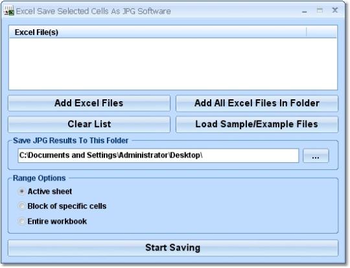
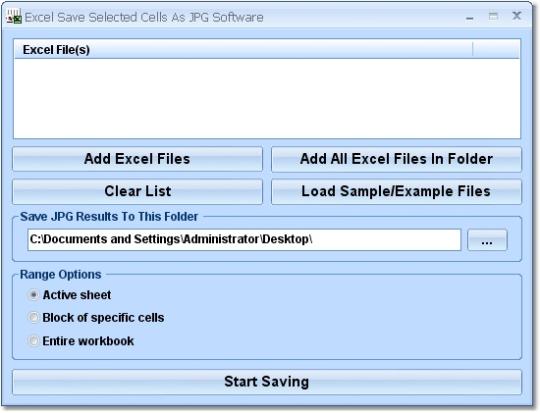
This software offers a solution to users who want to export a block of selected MS Excel cells from one or more Excel files to a JPG file. The user can specify a list of files or an entire folder to be processed and the output folder. There are options to process a selected block of cells, an entire workbook or the active sheet. Excel 2000 or higher required.
Where to buy?
Last updated price and discount information 9 years agoupdate now



 View Screenshots(1)
 Comments
 Download





 Similar Software


 Recently Searched
 Software Categories
 Trending Software


 Like Us

 Windows NT and above