Works on: Windows 10 | Windows 8.1 | Windows 8 | Windows 7 | Windows 2012 SHA1 Hash: ae2b9156db091d3c1a8c1fe5aaffce9a056837cf Size: 361.57 KB File Format: exe
Rating: 2.4
out of 5
based on 23 user ratings
Publisher Website: External Link Downloads: 124 License: Demo / Trial Version
EzMigration is a demo software by Data Protection Solutions By Arco and works on Windows 10, Windows 8.1, Windows 8, Windows 7, Windows 2012.
You can download EzMigration which is 361.57 KB in size and belongs to the software category File Management. EzMigration was released on 2012-07-03 and last updated on our database on 2017-04-16 and is currently at version 3.2.
Thank you for downloading from SoftPaz! Your download should start any moment now. It would be great if you could rate and share:
Rate this software:
Share in your network:
EzMigration Description
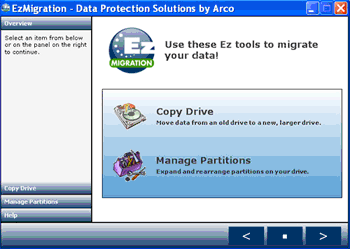
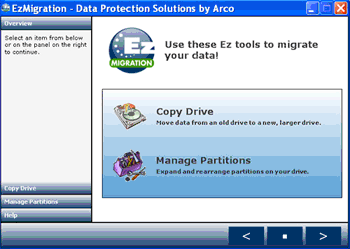
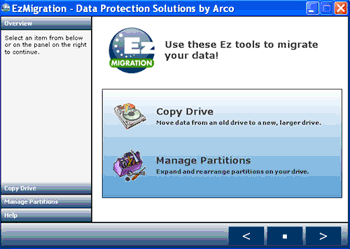
EzMigration takes all the work out of moving to a new or larger boot drive or data drive. There's no need to rebuild a drive or to spend hours reinstalling applications and searching the net for updates and drivers. You simply migrate everything in one simple drive copy operation then expand the drive partition, if necessary.
When you migrate a boot drive you cannot simply copy individual files from one drive to another if you want the new drive to be bootable. To create a duplicate boot drive that contains working applications, you need to move all the data as a single drive image. EzMigration drive migration software creates that drive image copy for you and transfers it to your new drive. It places what is essentially a clone of your original, on the new drive. EzMigration copies your data bit by bit , not file by file. When you copy a drive in this way, you are able to migrate not only your data files but your installed applications, preferences and even the partitioning information from your old drive.
Ezmigration software eliminates all the time and effort normally required to set up a new drive. With just a few mouse clicks, the job is done. But migrating your drive contents is only part of what EzMigration can do for you. When you transfer an image copy of your original drive to a new drive, the image creates a partition on the new drive. If your old and new drives are the same size, the partition will occupy all the space on the new one.
However, if your new drive is bigger than your old one, you will end up with a partition the size of your old drive on the new drive and you may be left with a lot of empty space on the larger drive that you cannot access. EzMigration's partition expansion tool lets you easily move or expand the partition and regain that space.
Download and purchase EzMigration today.
Where to buy?
Last updated price and discount information 9 years agoupdate now



 Windows 7 and above
 View Screenshots(2)
 Comments
 Download





 Similar Software


 Recently Searched
 Software Categories
 Trending Software
 Like Us


