Works on: Windows 10 | Windows 8.1 | Windows 8 | Windows 7 | Windows 2012 SHA1 Hash: 93f6fa4bf8b37f9b6186fa5c415168ea4b4565ff Size: 1.95 MB File Format: exe
Rating: 1.8
out of 5
based on 23 user ratings
Publisher Website: External Link Downloads: 132 License: Demo / Trial Version
EZNamespaceExtensions.Net is a demo software by Logicnp Software and works on Windows 10, Windows 8.1, Windows 8, Windows 7, Windows 2012.
You can download EZNamespaceExtensions.Net which is 1.95 MB in size and belongs to the software category Components Libraries. EZNamespaceExtensions.Net was released on 2012-02-03 and last updated on our database on 2017-03-07 and is currently at version 2011.
Thank you for downloading from SoftPaz! Your download should start any moment now. It would be great if you could rate and share:
Rate this software:
Share in your network:
EZNamespaceExtensions.Net Description
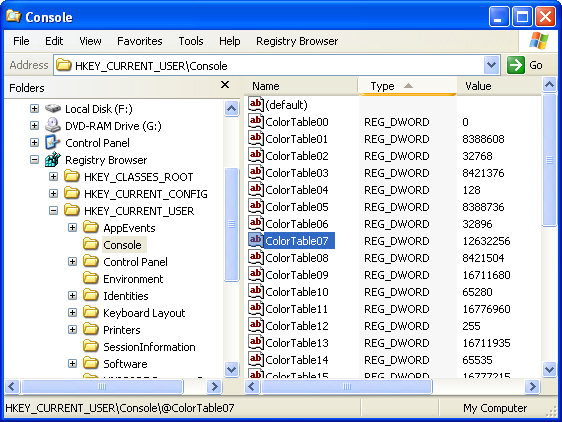
Add Windows Explorer and File Open/Save dialog integration to document management or similar software using namespace extensions developed with EZNamespaceExtensions.Net v2009. With EZNamespaceExtensions, a development team can concentrate on writing the functionality of the namespace extension and not worry about the hundred things that are necessary to integrate the namespace extension seamlessly into Windows Explorer and File Open/Save Dialogs.
Document management software, content management software, asset management software, virtual drives, database browsers and front-ends and protocol handlers are just some of the kind of software that can make use of EZNamespaceExtensions.Net.
EZNamespaceExtensions makes it a breeze to develop a full-blown namespace extension from scratch with full support for Vista and Windows 7. It supports automatic sub-folder navigation, context-menus, background context-menus drag-drop, cut-copy-paste, details (report) view, thumbnail view, info tips, icons, overlay icons, and lots more.
EZNamespaceExtensions.Net supports all kinds of Windows Explorer features and functionality
*Seamless integration in Windows Explorer and File Open/Save Dialogs of all applications.
*Supports all kinds of namespace extensions : namespace extensions can be located under the Desktop, My Computer, Control Panel, Network neighborhood, a remote computer or even a file-system folder
*Namespace extensions look, feel and function exactly as native Windows Explorer folders
*Folder and non-folder items
*Multi-level Sub-folders
*Automatic sub-folder navigation
*Context menus/ background context menus
*Custom views for folders in the namespace extension
*Ability to integrate menu items to the main Windows Explorer frame menu and add toolbar buttons to the Windows Explorer toolbar
*Details/Report view support with multiple columns
*Thumbnail View support
*Group view/category support
*Tile View support
Where to buy?
Last updated price and discount information 9 years agoupdate now



 Windows 7 and above
 View Screenshots(3)
 Comments
 Download





 Similar Software


 Recently Searched
 Software Categories
 Trending Software
 Like Us


