Works on: Windows 10 | Windows 8.1 | Windows 8 | Windows 7 | Windows XP | Windows 2000 | Windows 2003 | Windows 2008 | Windows Vista | Windows 2012 SHA1 Hash: 54e48dcd27c5870eea716434bdf1f87357b1da9b Size: 1.95 MB File Format: exe
Rating: 2.0
out of 5
based on 23 user ratings
Publisher Website: External Link Downloads: 133 License: Demo / Trial Version
F-Album is a demo software by Enin Software and works on Windows 10, Windows 8.1, Windows 8, Windows 7, Windows XP, Windows 2000, Windows 2003, Windows 2008, Windows Vista, Windows 2012.
You can download F-Album which is 1.95 MB in size and belongs to the software category Graphic. F-Album was released on 2007-04-17 and last updated on our database on 2017-04-17 and is currently at version 1.8.
Thank you for downloading from SoftPaz! Your download should start any moment now. It would be great if you could rate and share:
Rate this software:
Share in your network:
F-Album Description
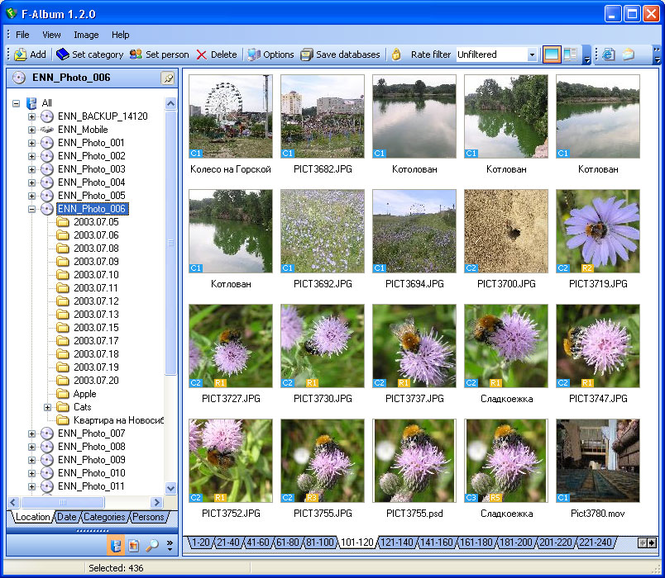
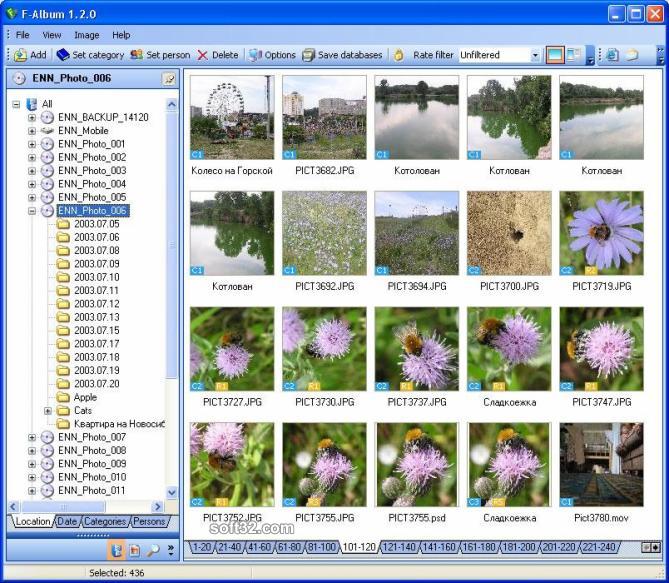
F-Album is intended for cataloging digital photos and other images stored on your hard disk, as well as on other information-carrying devices (CD, DVD, etc). In other words, it does not really matter where you keep your images – F-Album will allow you to always have a full catalog of your images close at hand.
The key feature of F-Album is its ability to store in its database, along with thumbnails, samples of images as well. A sample (or a miniature) is a small copy of its original image. A user can set size and quality of stored samples, which affects the speed of adding images and the database size.
Using stored samples, F-Album allows to easily create web-galleries without having to access original images. You can also export a sample into a file at any moment and use it as you wish.
You can sort images by the storage location, date, category and persons. Sorting by category is used most frequently. You can build the hierarchic categorization that will be convenient just for you, where one and the same image may be included into any number of categories. Sorting by person is a special category case; however, it is made a separate bookmark for more convenience.
Another distinguished feature of F-Album is its Temporary list. You can «drag» images into this list while working with any section – it can be sorting by storage location, by date, by categories or by persons. After you have finished making your selection, you can save a final list of images as a category or a person, or process your selection some other way (for example, create a web-gallery).
Where to buy?
Last updated price and discount information 9 years agoupdate now



 Windows XP and above
 View Screenshots(3)
 Comments
 Download





 Similar Software
 Recently Searched
 Software Categories
 Trending Software
 Like Us

