Works on: Windows 10 | Windows 8.1 | Windows 8 | Windows 7 | Windows 2012 SHA1 Hash: 595f843b69ba0152cfde58cdcb81b3eb4045fd35 Size: 2.68 MB File Format: exe
Rating: 1.8
out of 5
based on 23 user ratings
Publisher Website: External Link Downloads: 100 License: Demo / Trial Version
FASTSELL Deluxe is a demo software by Businessassistance.com Incorporated and works on Windows 10, Windows 8.1, Windows 8, Windows 7, Windows 2012.
You can download FASTSELL Deluxe which is 2.68 MB in size and belongs to the software category Accounting and Billing Software. FASTSELL Deluxe was released on 2011-02-10 and last updated on our database on 2017-04-17 and is currently at version 12909.
Thank you for downloading from SoftPaz! Your download should start any moment now. It would be great if you could rate and share:
Rate this software:
Share in your network:
FASTSELL Deluxe Description
Works with all networks. Connect as many registers as you need up to 8 in one location.
Maintain a single inventory with password security allowing only the manager access to reports and changing prices. Simple and easy to connect with nothing to register or program, as simple as opening a file.
Network Compatible
Touch Screen Operation
Scanner / Keyboard Operation
Low Margin Warnings
Inventory Order Estimator
Enhanced One Button Reports
Expanded Customer Information
Exports a Quickbooks file that can be imported to Quickbooks.
Cash Drawer Reconciliation
Automatic Tax Rates & Discounts
USA or UK Tax Method
US, UK, Canadian, or Australian Versions Available
Customize the settings for your business.
Private notes can be entered in each sale. The notes are not listed on the receipt.
A Message can be entered here that will be included on the receipt and saved with the sale.
Show a customer name search and address information window.
If each sale must include the customer address 'show Mailing Address' must be checked.
Display a calendar. Note, the calendar doesn?t have any effect on the date of sales. The sales date is taken from the system clock.
Turning Security ON will disallow viewing of sales totals, reports, product cost and other sensitive information. A user set password allows the Security setting to be changed.
Receipt Messages
Receipts have a 2 message areas that can be customized to your business. This window allows the Header and Terms message to be edited.
If you have a pole display, put your general messages here.
You can try both styles and switch back and forth to see which one you prefer. Once you have decided on a style, set this style in the Now the software will open directly in this style.
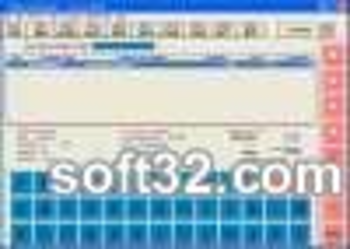
Invoice Style Screen
This style is best suited for maximum control.
If you have thousands of products or hundreds of product categories.
Graphic / Touch Screen
Where to buy?
Last updated price and discount information 9 years agoupdate now



 Windows 7 and above
 View Screenshots(1)
 Comments
 Download





 Similar Software


 Recently Searched
 Software Categories
 Trending Software
 Like Us


