Works on: Windows 10 | Windows 8.1 | Windows 8 | Windows 7 | Windows 2012 SHA1 Hash: e153dc0dd17daadf1ac9bac0c42e27f047d96f5c Size: 10.77 MB File Format: exe
Rating: 2.2
out of 5
based on 23 user ratings
Publisher Website: External Link Downloads: 138 License: Demo / Trial Version
Hanspark PDFSnap 2 Pro is a demo software by Hanspark Software and works on Windows 10, Windows 8.1, Windows 8, Windows 7, Windows 2012.
You can download Hanspark PDFSnap 2 Pro which is 10.77 MB in size and belongs to the software category Image Editors Convertors Viewers. Hanspark PDFSnap 2 Pro was released on 2010-05-27 and last updated on our database on 2017-03-07 and is currently at version 2.
Thank you for downloading from SoftPaz! Your download should start any moment now. It would be great if you could rate and share:
Rate this software:
Share in your network:
Hanspark PDFSnap 2 Pro Description
PDFSnap 2 Pro is a program based on Windows platform, which allows the batch-converting of large numbers of pdf files at the same time. Its reliability and stability also make it the perfect PDF to Images(JPG,JPEG,TIFF,BMP,PNG) kernel for integration into your own software applications or for Web-server integration. It doesn't requires Adobe Acrobat and other third-party library. It contains both GUI and Command Line components.
Features:
1. Convert PDF files to JPG, JPEG, TIFF, BMP and PNG images.
2. Support Password Protected PDF file conversion.
3. Specify any resolution from 10 to 1200 dpi in the generated image files.
4. Extract a page range from an existing PDF file to image files.
5. Support several compression method of Tiff images: LZW, PACKBITS, GROUP4, GROUP3.
6. Convert PDF files to Fax compatible Tiff files.
7. Produce multipage Tiff files.
8. Support all languages, including English, German, Dutch, French, Italian, Norwegian, Portuguese, Russian, Spanish, Swedish, Chinese, Japanese, Korean, etc.
9. Support conversion into 1, 8, 24 or 32-bit or 8-bit grayscale format.
10. Do not require Adobe Acrobat or Reader.
11. Can be launched from command line, from batch file or another application.
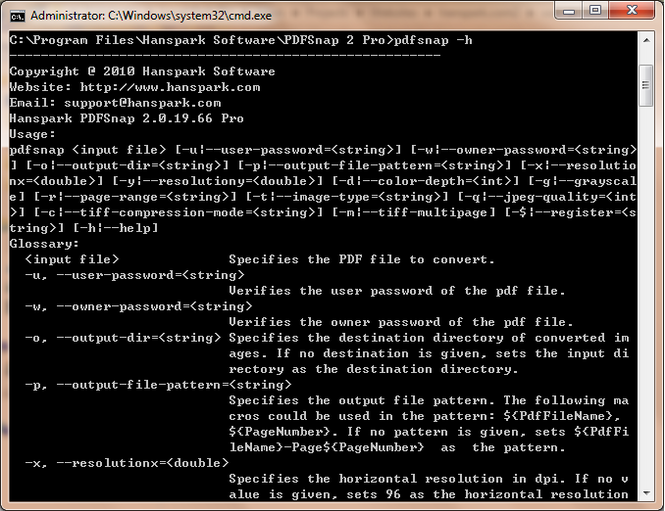
Command Line part usage:
pdfsnap [-u|--user-password=] [-w|--owner-password=] [-o|--output-dir=] [-p|--output-file-pattern=] [-x|--resolutionx=] [-y|--resolutiony=] [-d|--color-depth=] [-g|--grayscale] [-r|--page-range=] [-t|--image-type=] [-q|--jpeg-quality=] [-c|--tiff-compression-mode=] [-m|--tiff-multipage]
[-$|--register=] [-h|--help]
Where to buy?
Last updated price and discount information 9 years agoupdate now



 Windows 7 and above
 View Screenshots(3)
 Comments
 Download





 Similar Software


 Recently Searched
 Software Categories
 Trending Software

 Like Us

