Version: 4 Last Updated: 07 Mar 2017 Release: 28 Sep 2009 Category: Others > Miscellaneous
Rate this software:
90 downloads
View Screenshots(4)
Comments
Download
Liked it? Tell others:
LECTURNITY Details
Works on: Windows 10 | Windows 8.1 | Windows 8 | Windows 7 | Windows 2012 SHA1 Hash: 2de95bd3023459a6f874b5ab44206dcd876baf9f Size: 87.57 MB File Format: exe
Rating: 2.2
out of 5
based on 23 user ratings
Publisher Website: External Link Downloads: 90 License: Demo / Trial Version
LECTURNITY is a demo software by Imc Gmbh and works on Windows 10, Windows 8.1, Windows 8, Windows 7, Windows 2012.
You can download LECTURNITY which is 87.57 MB in size and belongs to the software category Miscellaneous. LECTURNITY was released on 2009-09-28 and last updated on our database on 2017-03-07 and is currently at version 4.
Thank you for downloading from SoftPaz! Your download should start any moment now. It would be great if you could rate and share:
Rate this software:
Share in your network:
LECTURNITY Description
LECTURNITY
Record your presentation and produce professional screen recordings. The use of all applications is intuitive, with no need to waste time reading complicated operating instructions. Just start your presentation with a click of the mouse – and you can get going straight away.
Demand sustainability
Every well-prepared and exciting presentation has a decisive disadvantage: it is short-lived. Anyone who was not present, or who wants to recreate the presentation at a later point in time, is often left with just a few PowerPoint slides which fail to provide much information. LECTURNITY, on the other hand, makes it possible to experience your live presentations again and again. With just a few clicks of the mouse, record everything that your audience hear and see during your presentation: PowerPoint slides, your voice, facial expressions and gestures, your annotations and additional examples and videos.
Record your annotations
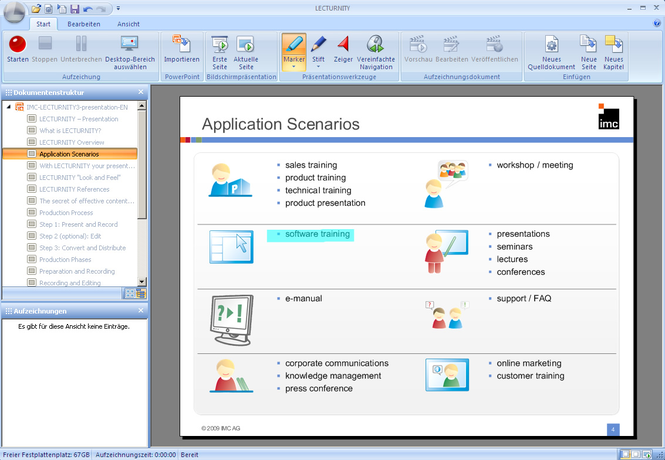
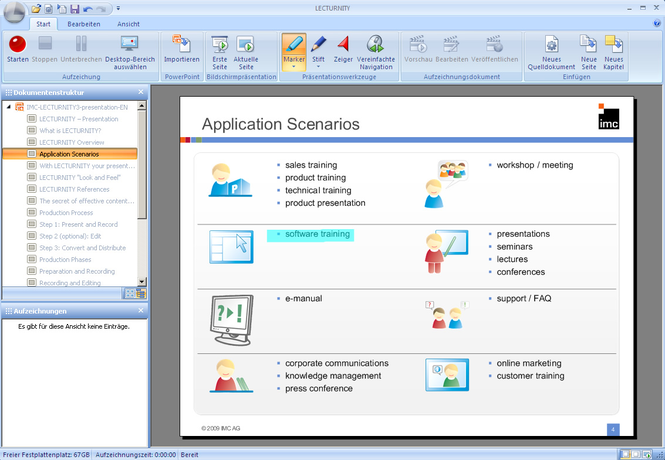
Do you want to make specific highlights on your slides, mark a line of text or add written comments? This can be done quickly and easily using the LECTURNITY Annotation Tools. Use these tools during your presentations to draw attention to specific areas you wish to highlight. With the support of the LECTURNITY Toolbox you can adjust your slides at any time according to the required situation.
Save time with intelligent search functions
LECTURNITY offers far more than a traditional screen recording. LECTURNITY “understands” your documents, presentations and lectures. All content is automatically read through, structured and indexed to make it searchable – no matter what the format. Are your spectators and listeners only interested in a specific part of your presentation? No problem: simply enter the relevant search term and LECTURNITY will find the appropriate sequence. This puts an end to hour-long searches, which need to be categorised in painstaking detail. LECTURNITY does this work for you, saving time and money.



 Windows 7 and above
 View Screenshots(4)
 Comments
 Download




 Similar Software


 Recently Searched
 Software Categories
 Trending Software


 Like Us
