Works on: Windows 10 | Windows 8.1 | Windows 8 | Windows 7 | Windows XP | Windows 2000 | Windows 2003 | Windows 2008 | Windows Vista | Windows 2012 SHA1 Hash: d21a58e2830274f5f3b4eb74836139077a4a3b2c Size: 3.94 MB File Format: exe
Rating: 1.8
out of 5
based on 23 user ratings
Downloads: 299 License: Free
LuJoSoft AutoStartSpy is a free software by LuJoSoft and works on Windows 10, Windows 8.1, Windows 8, Windows 7, Windows XP, Windows 2000, Windows 2003, Windows 2008, Windows Vista, Windows 2012.
You can download LuJoSoft AutoStartSpy which is 3.94 MB in size and belongs to the software category Keylogger or Monitoring. LuJoSoft AutoStartSpy was released on 2013-02-26 and last updated on our database on 2017-04-25 and is currently at version 1.
Thank you for downloading from SoftPaz! Your download should start any moment now. It would be great if you could rate and share:
Rate this software:
Share in your network:
LuJoSoft AutoStartSpy Description
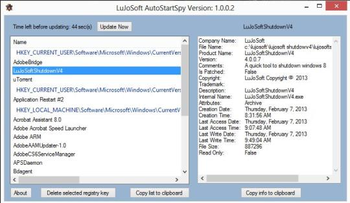
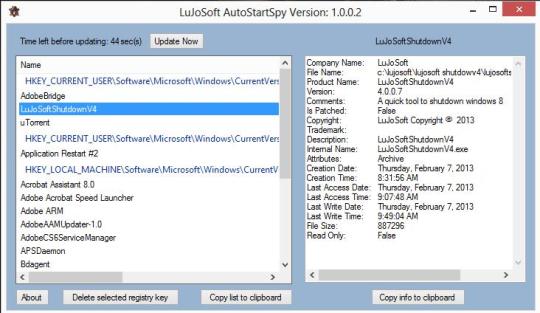
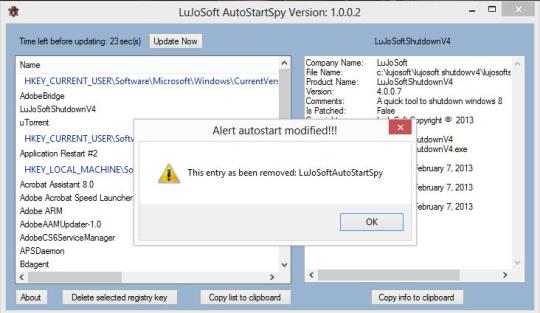
LuJoSoft AutoStartSpy is a utility will monitor any startup location in your registry every 60 seconds, shows you what programs are configured to run during login, and shows you the entries in the order Windows process them. These programs include ones in your startup folder, Run, RunOnce, using Registry keys LOCAL_MACHINE and CURRENT_USER. If a key is deleted or added at any time then you will be notified within a minute. Features include auto start option, check for update function, copy list of registry key to clipboard function, copy info to clipboard function, view file location of the auto start key, delete registry key function, and minimize to icon tray.



 Windows XP and above
 View Screenshots(2)
 Comments
 Download




 Similar Software


 Recently Searched
 Software Categories
 Trending Software


 Like Us

