Works on: Windows 10 | Windows 8.1 | Windows 8 | Windows 7 | Windows XP | Windows 2000 | Windows 2003 | Windows 2008 | Windows Vista | Windows 2012 SHA1 Hash: ef3bb756f171fec8e5dba7709c129498ca307c14 Size: 58.82 MB File Format: exe
Rating: 2.3
out of 5
based on 23 user ratings
Publisher Website: External Link Downloads: 1474 License: Demo / Trial Version
Mailpack Design Studio is a demo software by Chompff and works on Windows 10, Windows 8.1, Windows 8, Windows 7, Windows XP, Windows 2000, Windows 2003, Windows 2008, Windows Vista, Windows 2012.
You can download Mailpack Design Studio which is 58.82 MB in size and belongs to the software category PDF. Mailpack Design Studio was released on 2012-03-30 and last updated on our database on 2017-04-23 and is currently at version 1.
Thank you for downloading from SoftPaz! Your download should start any moment now. It would be great if you could rate and share:
Rate this software:
Share in your network:
Mailpack Design Studio Description
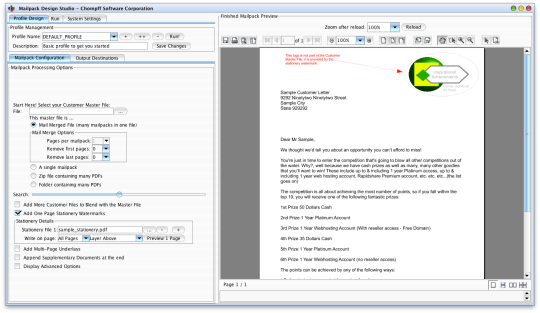
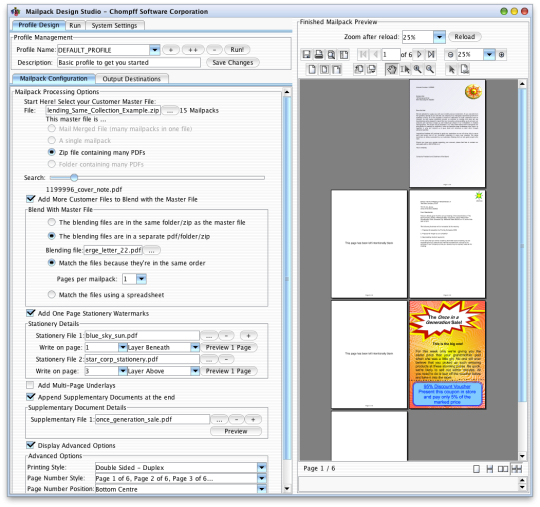
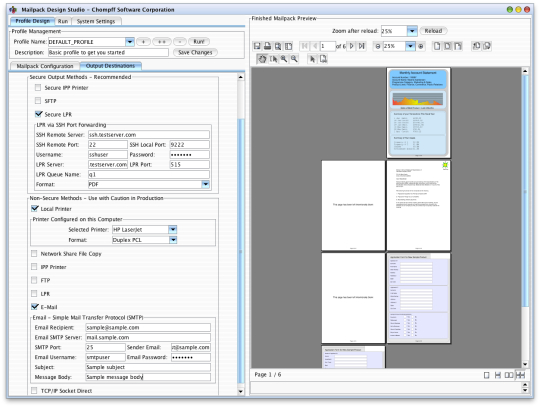
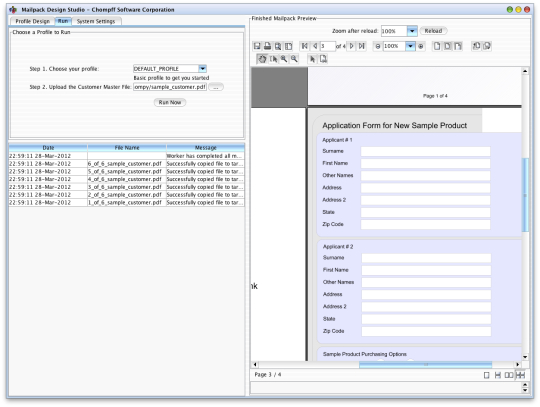
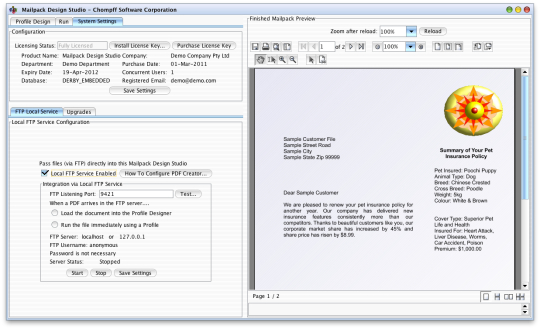
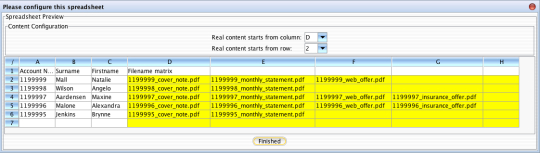
The Mailpack Design Studio is a specialist PDF manipulation tool for enhancing documents to make them ready for enterprise grade printing. Ideally it is used after a mail merge application. The Mailpack Design Studio can split a big file into individual mailpacks, add coloured logos, append extra pages, overlay/underlay forms and much, much more. The results are enterprise grade full colour PDF files ready for fully automated print, email, file copying or SFTP transmission.The Mailpack Design Studio enables you use your all of your existing PDF files: logos, forms, brochures, letterheads etc. When you have a lot of letters to send out you can easily create the letters using your favourite word processor and then use the Mailpack Design Studio to embellish the documents prior to sending them to print. Starting with a base document (black text on plain white paper) the Mailpack Design Studio can transform it into a professional document by adding coloured logos, letterheads, footers, double-sided printing, attachments and many more. The final product is a fully formattted and finished PDF file ready for colour printing and automated enveloping.The PDFs you use to enhance and embellish the mail merge documents are the ones you already own: typically from your graphic artist/marketing department/artwork team. You can even use scanned images from a multi-function device or flat-bed scanner.What about pre-printed stationery? As the cost of coloured printing has plummetted the importance of coloured PDF files has risen. Since about 2009, the cost per page of enterprise grade coloured printing has more than halved, making it an extremely attractive alternative. Modern documents use many different types of stationery, so much so that the management of so many different types of stock becomes itself its own issue. It is far simpler to transfer all of the colour requirements into the document itself and then print using a colour printer - preferably laser. The result for the customer is identical but the process of achieving it is far simpler and in the long term is significantly cheaper.# WYSIWYG Mailpack editor: visualise the finished mailpack as you design it.# Split a mail merge document into individual mailpacks.# Trim leading or trailing pages from a mail merge document (eg remove banner pages).# Load a collection of PDF files from a zip or file directory/folder.# Blend documents into mailpacks using a spreadsheet control file.
Where to buy?
Last updated price and discount information 9 years agoupdate now



 Windows 2000 and above
 View Screenshots(7)
 Comments
 Download





 Similar Software


 Recently Searched
 Software Categories
 Trending Software
 Like Us


