Version: 6.6 Last Updated: 08 Mar 2017 Release: 05 Jul 2011 Category: CD DVD Blu-ray Tools
Rate this software:
1034 downloads
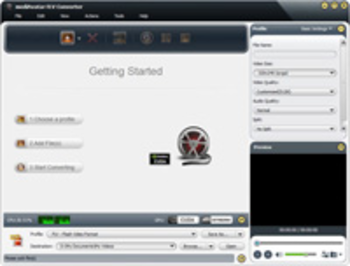
View Screenshots(2)
Comments
Download
Liked it? Tell others:
mediAvatar FLV Converter Details
Works on: Windows 10 | Windows 8.1 | Windows 8 | Windows 7 | Windows 2008 | Windows Vista | Windows 2012 SHA1 Hash: 018ee4b129cd8de06be33bbd6f2d2c7b35eb72be Size: 34.5 MB File Format: exe
Rating: 1.8
out of 5
based on 23 user ratings
Publisher Website: External Link Downloads: 1034 License: Demo / Trial Version
mediAvatar FLV Converter is a demo software by Mediavatar Software Studio and works on Windows 10, Windows 8.1, Windows 8, Windows 7, Windows 2008, Windows Vista, Windows 2012.
You can download mediAvatar FLV Converter which is 34.5 MB in size and belongs to the software category CD DVD Blu-ray Tools. mediAvatar FLV Converter was released on 2011-07-05 and last updated on our database on 2017-03-08 and is currently at version 6.6.
Thank you for downloading from SoftPaz! Your download should start any moment now. It would be great if you could rate and share:
Rate this software:
Share in your network:
mediAvatar FLV Converter Description
mediAvatar FLV Converter is not only a FLV to video converter to convert FLV files to other video files like AVI, MPEG, WMV, DivX, XviD, MP4 and MOV, but also a video to FLV converter to convert other video formats to FLV file. Moreover, you can convert audio file to audio-only FLV video.
New feature:
1. Adopts multi-thread encoding technology which promotes the converting speed of High Definition videos.
2. Metadata support for MP4 and M4A formats.
Key features:
1. mediAvatar FLV Converter supports batch conversion and multithreading, so that you can convert multiple files at the same time to save time.
2. Provide general and professional parameters for both beginners and experienced users: video quality, video codec, channel, bit rate, frame rate, etc. And you can change the parameters and save the modified profile as a new one for quick access.
3. Choose multiple formats for one file and convert them at a time in one step and you will get multiple files with the same content but different formats or settings.
4. Any segment from your video can be converted just by setting the start time of the segment and its time length.
5. You can compress movies to any size you enter in the Bitrate Calculator tool and its bit rate will be calculated at the same time.
6. Quickly split a large FLV file into several small files by choosing the split file size offered by the software or custom time length or file size you want.
7. mediAvatar FLV Converter supports running in background to save CPU resource and make other programs run smoothly.
8. Preview FLV videos before you convert and take a snapshot if you like the video screen images when previewing.
9. With one of after done actions: shutdown, hibernate, standby and exit, there is no need for you to wait the long time conversion to the end.
Where to buy?
Last updated price and discount information 9 years agoupdate now



 Windows Vista and above
 View Screenshots(2)
 Comments
 Download





 Similar Software


 Recently Searched
 Software Categories
 Trending Software


 Like Us


