Version: 1 Last Updated: 26 Apr 2017 Release: 02 Oct 2014 Category: Desktop Enhancements
Rate this software:
164 downloads
View Screenshots(4)
Comments
Download
Liked it? Tell others:
NetVidi Details
Works on: Windows 10 | Windows 8.1 | Windows 8 | Windows 7 | Windows XP | Windows 2000 | Windows 2003 | Windows 2008 | Windows Vista | Windows 2012 SHA1 Hash: 81f95c1e9d1cd83b81af26eb57fd14a94b0fb870 Size: 30.58 MB File Format: msi
Rating: 1.7
out of 5
based on 23 user ratings
Downloads: 164 License: Free
NetVidi is a free software by NetENV and works on Windows 10, Windows 8.1, Windows 8, Windows 7, Windows XP, Windows 2000, Windows 2003, Windows 2008, Windows Vista, Windows 2012.
You can download NetVidi which is 30.58 MB in size and belongs to the software category Desktop Enhancements. NetVidi was released on 2014-10-02 and last updated on our database on 2017-04-26 and is currently at version 1.
Thank you for downloading from SoftPaz! Your download should start any moment now. It would be great if you could rate and share:
Rate this software:
Share in your network:
NetVidi Description
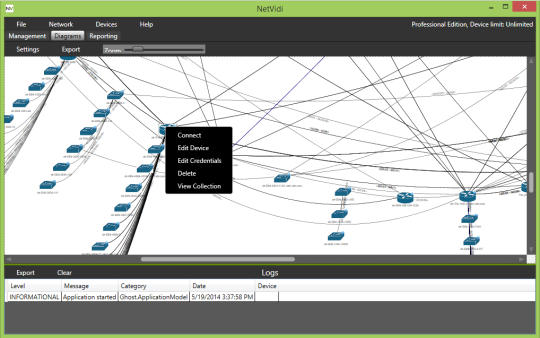
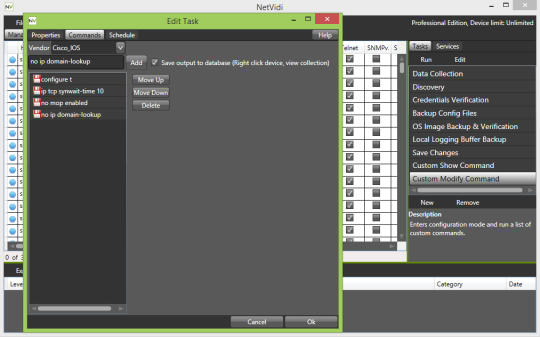
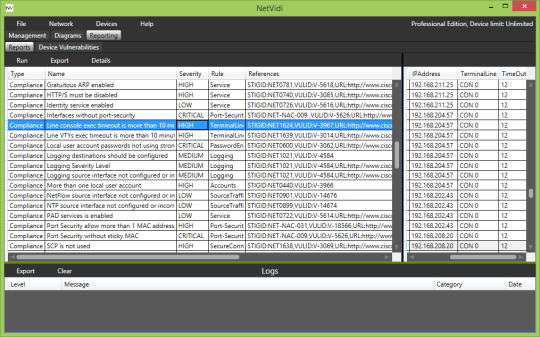
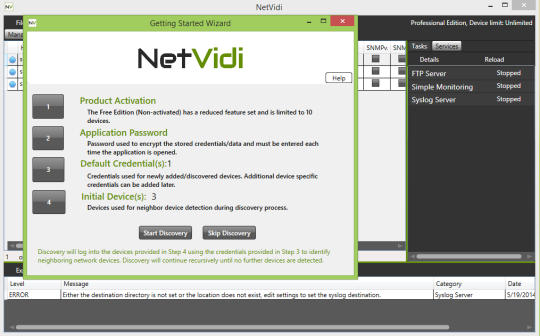
NetVidi provides the most commonly used features of an enterprise-class network management product at only a fraction of the cost. At the core is NetVidis dynamic discovery and collection engine allowing networking professionals to automate daily administration tasks by sending customizable command sets to any or all devices. Up/Down monitoring, FTP and Syslog services are bundled in, providing a mobile yet capable toolkit. NetVidi Professional introduces automated security, compliance, and industry best analysis and reporting. The new visualization engine generates interactive and exportable (PNG, Visio) network diagrams depicting network architecture and interconnectivity based of running configurations. Free version is limited to 10 devices.
Whats new in this version:
Adhoc Commands: Select multiple devices, right click, and select Execute Commands. A new window will appear where you can enter free form commands to be executed on all selected devices. At the end of the task, a window will appear where you can see the output of all devices.



 Windows XP and above
 View Screenshots(4)
 Comments
 Download




 Similar Software


 Recently Searched
 Software Categories
 Trending Software
 Like Us


