Works on: Windows 10 | Windows 8.1 | Windows 8 | Windows 7 | Windows 2012 SHA1 Hash: ccaf3dd3fd0d70bf28af4cdf041bd7c824b80e76 Size: 7.41 MB File Format: zip
Rating: 2.4
out of 5
based on 23 user ratings
Publisher Website: External Link Downloads: 105 License: Demo / Trial Version
PowerAid is a demo software by Quantumpm Llc and works on Windows 10, Windows 8.1, Windows 8, Windows 7, Windows 2012.
You can download PowerAid which is 7.41 MB in size and belongs to the software category Other Office Tools. PowerAid was released on 2009-12-02 and last updated on our database on 2017-03-09 and is currently at version 1.
Thank you for downloading from SoftPaz! Your download should start any moment now. It would be great if you could rate and share:
Rate this software:
Share in your network:
PowerAid Description
QPM PowerAid:
If you are constantly changing backgrounds or merging decks, PowerAid is a must.
If get frustrated finding styling and image manipulation features, PowerAid is the fix you need.
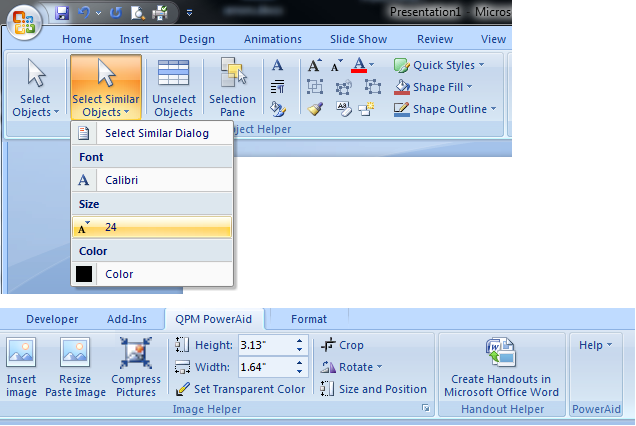
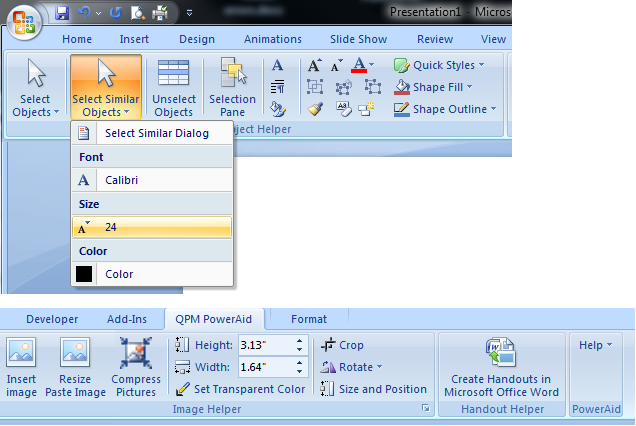
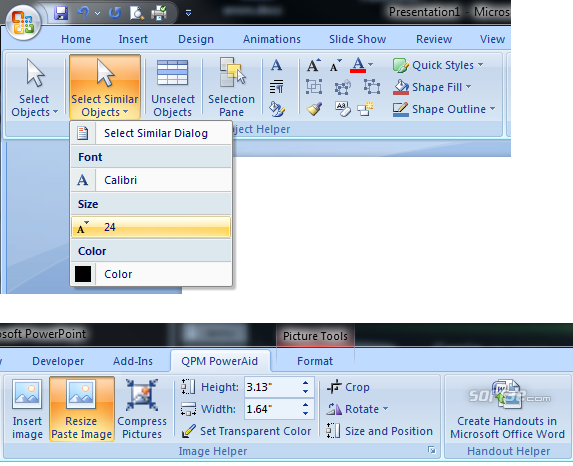
QPM PowerAid is a Microsoft PowerPoint 2007 add-in designed to give you greater flexibility for finding and formatting multiple objects at once. I you have ever needed to change font, color or size on many items at once, PowerAid will help you find the objects and select them all-at-once, then change them all-at-once.
PowerAid also solves the screenshot insert problem. If you are inserting large screenshots or images, PowerPoint can be frustrating because the picture is frequently bigger than the slide. Getting to the handles to resize the picture to something manageable can be maddening. QPM PowerAid solves this by detecting your insert and resizing the image for you.
Along side these new features, we've positioned commonly needed but sometimes hard to find formating and image functions as well as lessor known features such as Create Handouts in Microsoft Office Word and access to the Selection Pane.
PowerAid even has a self update function. As we add additional functionality or expose more hidden features of PowerPoint, we will make updates easily available to you.
Check it out now!
Where to buy?
Last updated price and discount information 9 years agoupdate now



 Windows 7 and above
 View Screenshots(3)
 Comments
 Download





 Similar Software


 Recently Searched
 Software Categories
 Trending Software


 Like Us

