Works on: Windows 10 | Windows 8.1 | Windows 8 | Windows 7 | Windows XP | Windows 2000 | Windows 2003 | Windows 2008 | Windows Vista | Windows 2012 SHA1 Hash: 44cc6f639984e09852492f2b013934c32101b6e0 Size: 1.5 MB File Format: exe
Rating: 2.4
out of 5
based on 23 user ratings
Downloads: 339 License: Free
Puran Duplicate File Finder is a free software by Puran Software and works on Windows 10, Windows 8.1, Windows 8, Windows 7, Windows XP, Windows 2000, Windows 2003, Windows 2008, Windows Vista, Windows 2012.
You can download Puran Duplicate File Finder which is 1.5 MB in size and belongs to the software category File Management. Puran Duplicate File Finder was released on 2013-02-08 and last updated on our database on 2017-03-21 and is currently at version 1.1.
Thank you for downloading from SoftPaz! Your download should start any moment now. It would be great if you could rate and share:
Rate this software:
Share in your network:
Puran Duplicate File Finder Description
Puran Duplicate File Finder is a straightforward piece of software designed to help you locate duplicate files on the computer and remove them while keeping the original, in order to free up space and declutter the HDD. It features several advanced settings, but they are intuitive enough to be used not only by those experienced, but also by beginners.
Hassle-free installation and simplistic UI
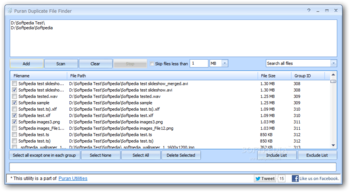
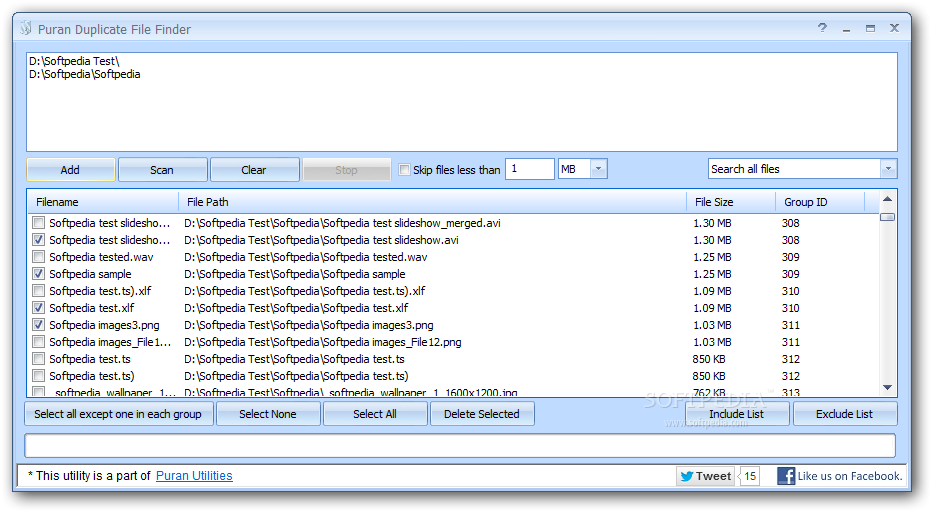
The application is unwrapped pretty fast and without any issues. It is packed in a user-friendly interface made of a regular window split into two panes, for adding directories and drives to scan, as well as for examining results and taking the necessary measures, respectively.
Scan for all file types and sizes, or create rules instead
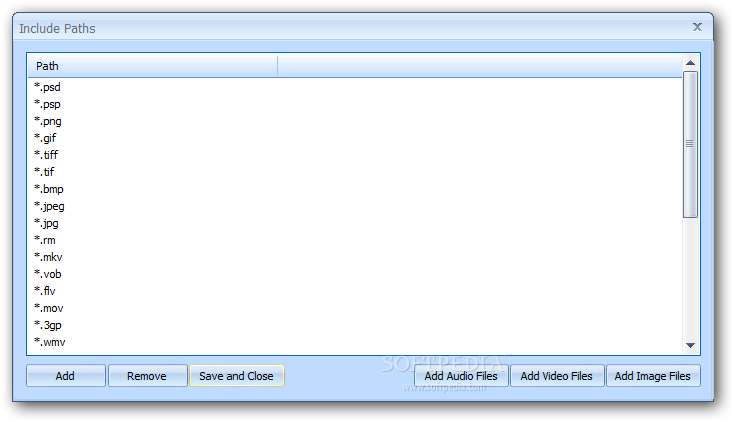
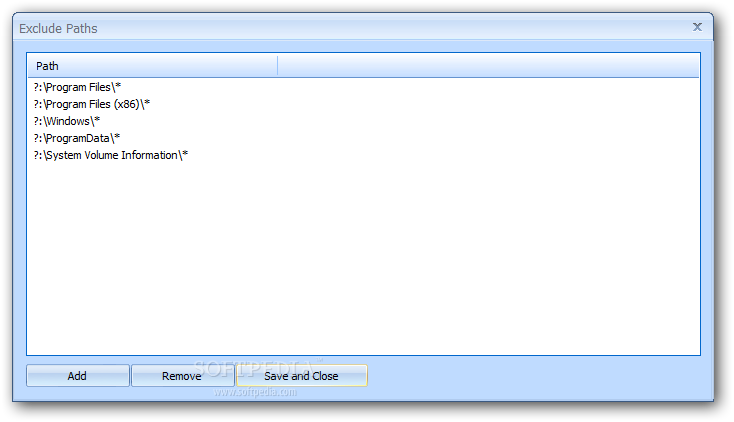
Locations can be added from any part of the disk, as well as from network and removable drives. The scanning procedure can be customized by skipping lightweight files and indicating only specific file formats to look for and locations to look into by creating an inclusion list (which has shortcuts for quickly including all music, movies and images). Likewise, it is possible to create an exclusion list with file types and locations.
Examine originals and duplicates, select only duplicates to remove
On scan completion, the application pops up a message with the total number of original files and their duplicates, along with the entire size of the duplicates. These can be easily spotted in the results list because all groups (made of the original file and its duplicates) are delimited by color. You can examine their names, full paths, dimensions and group ID numbers, as well as manually select each item you want to delete, or select everything except the original file (to keep on the disk); the latter also comes with a handy option for specifying a source path to match.
Evaluation and conclusion
The app is very fast at scanning, uses low system resources during this time, shows accurate results, and quickly removes files. We have not come across any unpleasant surprises in our tests, as it did not hang, crash or pop up error messages. The fact that it is freeware paired with the simplicity and thoroughness of its options make Puran Duplicate File Finder a reliable and resourceful tool for identifying and removing duplicate files.



 Windows XP and above
 View Screenshots(3)
 Comments
 Download




 Similar Software


 Recently Searched
 Software Categories
 Trending Software


 Like Us


