Version: 3.2 Last Updated: 14 Jun 2017 Release: 07 Feb 2012 Category: System
Rate this software:
499 downloads
View Screenshots(1)
Comments
Download
Liked it? Tell others:
QuicKeys X Details
Works on: Windows 10 | Windows 8.1 | Windows 8 | Windows 7 | Windows 2012 SHA1 Hash: 85fcc33a2194d8ad4715e305c0270caf795d091a Size: 13.16 MB File Format: dmg
Rating: 2.6
out of 5
based on 23 user ratings
Publisher Website: External Link Downloads: 499 License: Demo / Trial Version
QuicKeys X is a demo software by Startly Technologies Llc D.b.a Ce Software and works on Windows 10, Windows 8.1, Windows 8, Windows 7, Windows 2012.
You can download QuicKeys X which is 13.16 MB in size and belongs to the software category System. QuicKeys X was released on 2012-02-07 and last updated on our database on 2017-06-14 and is currently at version 3.2.
Thank you for downloading from SoftPaz! Your download should start any moment now. It would be great if you could rate and share:
Rate this software:
Share in your network:
QuicKeys X Description
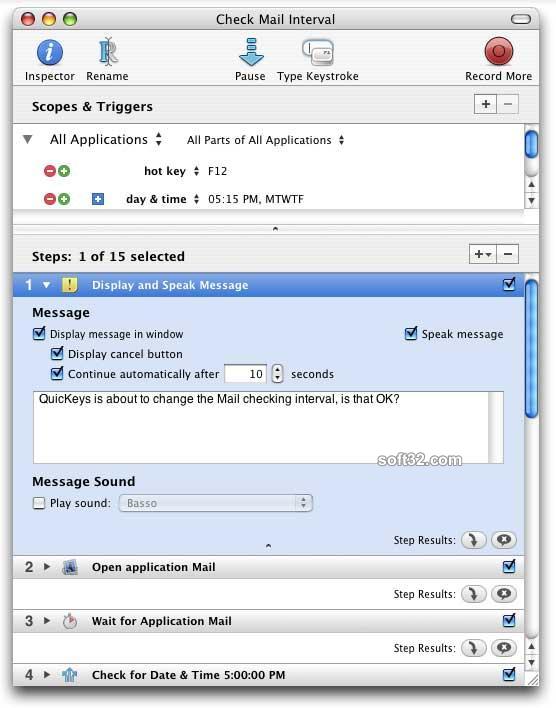
QuicKeys is a powerful macro program that allows you to create shortcuts to automate computer tasks. It takes the daily tasks that would normally take you five ... six ... twenty or more steps and turns them into simple one step shortcuts. Automatically insert commonly used blocks of text, move or copy files and folders, launch your favorite web sites, open applications and documents plus so much more. The possibilities are endless; the result is always the same: more work in less time.
Using QuicKeys is easy. Just tell QuicKeys what shortcut you would like to create and then trigger that shortcut with a hot key, toolbar, timer, specified application event or even speech command. Whether you need to create multi-step shortcuts, store or retrieve text and images, schedule Automator Workflows, reformat text, select menus, run UNIX commands, automate e-mail correspondence or connect to file servers, you can make it happen in a snap with a QuicKeys shortcut.
Even though QuicKeys requires no programming to use it still has incredible power. With QuicKeys’ advanced Logic & Variables you can playback complex actions whose results may differ depending on user intervention, the current date or time, the status of a menu item or button, plus many more decision criteria. Whatever the task, simple or complex, QuicKeys provides the tools you need to automate your computer processes.
Once you simplify your daily computer tasks with QuicKeys, the benefits are obvious. Primarily, you'll save time. Every shortcut, whether saving you 10 seconds or 10 minutes, will give you back some of that most precious commodity. Accuracy is another bonus. QuicKeys shortcuts can be built to be bullet-proof, performing a task thousands of times, each iteration exactly like the last. With QuicKeys all the different parts of your Mac can be customized to work together, the way you want. Once you've experienced this kind of power, you won't want to use a Mac without it.



 Windows 7 and above
 View Screenshots(1)
 Comments
 Download




 Similar Software


 Recently Searched
 Software Categories
 Trending Software
 Like Us


