Works on: Windows 10 | Windows 8.1 | Windows 8 | Windows 7 | Windows XP | Windows 2000 | Windows 2003 | Windows 2008 | Windows Vista | Windows 2012 SHA1 Hash: cd5e9d4eb07e9b1e469557e121fafa4268955cfb Size: 197.12 KB File Format: exe
Rating: 2.3
out of 5
based on 23 user ratings
Downloads: 1333 License: Free
ScreenCatch is a free software by 3cc Internet and works on Windows 10, Windows 8.1, Windows 8, Windows 7, Windows XP, Windows 2000, Windows 2003, Windows 2008, Windows Vista, Windows 2012.
You can download ScreenCatch which is 197.12 KB in size and belongs to the software category Cover editors. ScreenCatch was released on 2010-07-01 and last updated on our database on 2017-04-22 and is currently at version 1.
Thank you for downloading from SoftPaz! Your download should start any moment now. It would be great if you could rate and share:
Rate this software:
Share in your network:
ScreenCatch Description
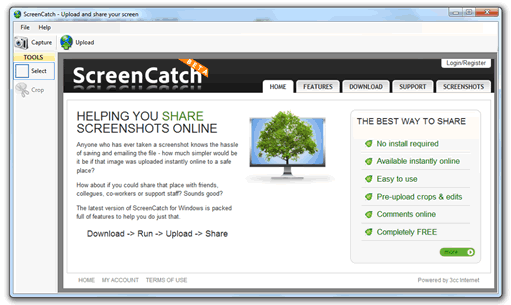
ScreenCatch is a free screenshot capture application that allows cropping of screenshots and instant upload to share with friends, family, or coworkers. Take a screenshot, crop it, and share it with anyone with a Web browser. Very compact program, no installation required. Once uploaded, features comments section allowing discussion, and can be linked to a user account. Great for programmers, designers, QA testers, bloggers, technical assistance specialists, sales managers. Features: handy Windows Application (doesnt require installation); take screenshots from within the application or by double clicking the taskbar logo; easily crop and annotate your screenshot before uploading; uploads directly to our server and gives you a direct link to the screenshot online, where you can discuss the image; options to save and load images on your computer; images are online indefinitely and are timestamped on our server. This means the upload date cannot be altered.



 Windows 2000 and above
 View Screenshots(1)
 Comments
 Download




 Similar Software


 Recently Searched
 Software Categories
 Trending Software

 Like Us

