

StartComp icon

StartComp

2 big stars
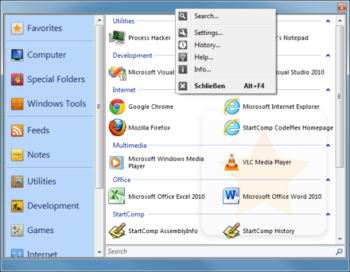
StartComp screenshot
Name: StartComp
Works on: windowsWindows Vista and above
Developer: Daniel Birler
Version: 0.2
Last Updated: 25 Apr 2017
Release: 24 Apr 2013
Category: Desktop Enhancements
Rate this software:
317 downloads
screenshotsView Screenshots(2)
commentsComments
downloadDownload
Liked it? Tell others:
details

StartComp Details

Works on: Windows 10 | Windows 8.1 | Windows 8 | Windows 7 | Windows 2008 | Windows Vista | Windows 2012
SHA1 Hash: cf554bb2eaa3f8923824ec4190d92cf0b783905f
Size: 1.74 MB
File Format: exe
Rating: 2.6 out of 5 based on 23 user ratings
Downloads: 317
License: Free
StartComp is a free software by Daniel Birler and works on Windows 10, Windows 8.1, Windows 8, Windows 7, Windows 2008, Windows Vista, Windows 2012.
You can download StartComp which is 1.74 MB in size and belongs to the software category Desktop Enhancements.
StartComp was released on 2013-04-24 and last updated on our database on 2017-04-25 and is currently at version 0.2.
download button
Thank you for downloading from SoftPaz! Your download should start any moment now. It would be great if you could rate and share:
Rate this software:
Share in your network:
features

StartComp Description

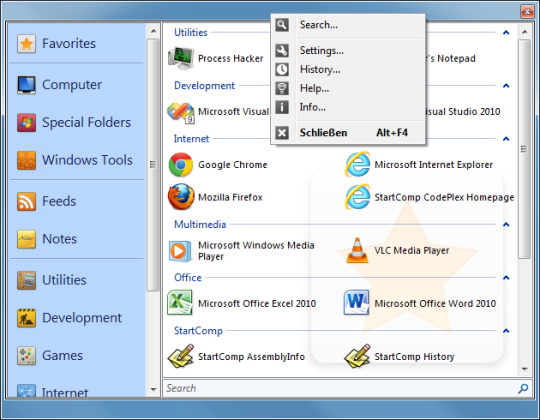
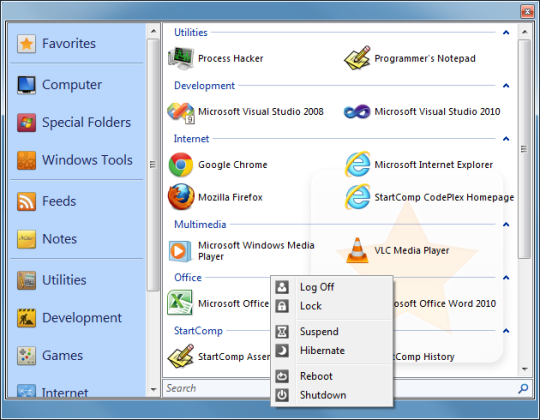
Windows Start Menu Companion is a tool that helps you all day. You can sort your applications into the provided or user defined repositories and run them from there with command line support. Explore your drives, launch control panel items, read feeds and last but not least keep notes is all packed into one single piece of free software.

This is the beta version which is currently under development and contains most of the functionality which is desired in the full version

The full version will be released "when its done", but development has gone strong the last months.
screenshots

StartComp Screenshots

StartComp screenshot 1 StartComp screenshot 2
similarSimilar Software
Launcher icon
Launcher
v 2
free
Needle icon
Needle
v 0
free
Advanced Task Scheduler icon
Advanced Task Scheduler
v 4.4
non-free
Direct Folders icon
Direct Folders
v 3.73
non-free
Fast Launcher icon
Fast Launcher
v 3.5
free
WinAgent icon
WinAgent
v 1.1
non-free
Tray Shortcuts icon
Tray Shortcuts
v 2.2
free
zaBox icon
zaBox
v 0.1
free
Tiles icon
Tiles
v 1.2
non-free