Version: 1.31 Last Updated: 09 Mar 2017 Release: 08 Dec 2009 Category: CD DVD Blu-ray Tools
Rate this software:
1085 downloads
View Screenshots(3)
Comments
Download
Liked it? Tell others:
TouchUpSoft FLV Video Converter Details
Works on: Windows 10 | Windows 8.1 | Windows 8 | Windows 7 | Windows 2012 SHA1 Hash: f9671a6a61c30565b030cda670d6410bab596f8e Size: 3.91 MB File Format: exe
Rating: 2.6
out of 5
based on 23 user ratings
Publisher Website: External Link Downloads: 1085 License: Demo / Trial Version
TouchUpSoft FLV Video Converter is a demo software by Touchupsoft Ltd. and works on Windows 10, Windows 8.1, Windows 8, Windows 7, Windows 2012.
You can download TouchUpSoft FLV Video Converter which is 3.91 MB in size and belongs to the software category CD DVD Blu-ray Tools. TouchUpSoft FLV Video Converter was released on 2009-12-08 and last updated on our database on 2017-03-09 and is currently at version 1.31.
Thank you for downloading from SoftPaz! Your download should start any moment now. It would be great if you could rate and share:
Rate this software:
Share in your network:
TouchUpSoft FLV Video Converter Description
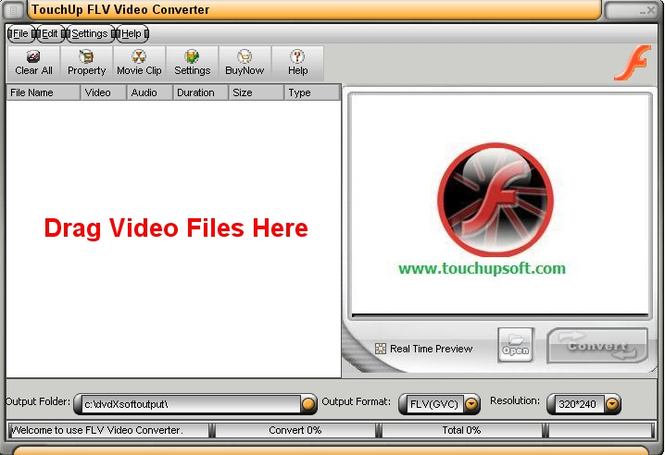
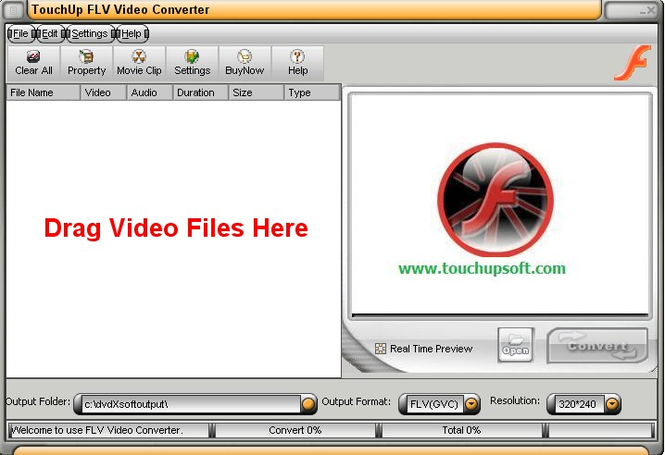
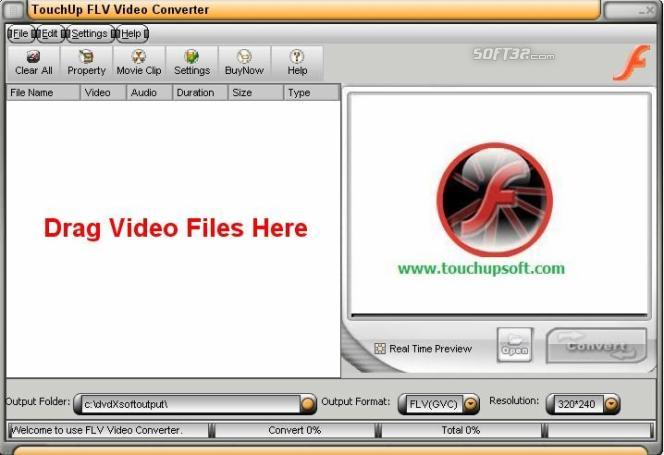
TouchUpSoft FLV Video Converter is a video/movie convert tool to convert video/movie to Adobe FLV video by the two formats supported: FLV(GVC) and FLV(vp6). It can convert almost all video format, e.g.FLV, DivX, XviD, MOV, RM, RMVB,dvr-ms, MPEG, WMV, AVI to FLV Movie / FLV Video format on the web. It support easy-to-use interface, fatstest converting speed with excellent output Video and Audio quality. Now only with quick 1-2-3 steps you can share your favority movies on FLV on the web or local anytime and freely.
Why choose TouchUpSoft FLV Video Converter?
1. Two-pass encoding mode is supported
TouchUpSoft FLV Video Converter is the first product that supports two-pass encoding mode, with this feature it will improves the video quality and doesn't make the file any larger.
2. Support Input/Output preview at the same time
You can watch the movies at the same time when you are converting movies.
Note: There is no sound when you are converting movies.
3. Optimize the output Video
Optimize output Video for FLV, so use our TouchUpSoft FLV Video Converter you will get more fixed video for FLV watching.
4. Power Audio / Video / Subtitle Synchronize
With our own Synchronize technology, the software will not have any unsynchronizing problems on output FLV Video.
5. Single file output mode
With this function you can mix multiple files and output as a single file.
6. Full WMV, RMVB Supported
Where to buy?
Last updated price and discount information 9 years agoupdate now



 Windows 7 and above
 View Screenshots(3)
 Comments
 Download





 Similar Software


 Recently Searched
 Software Categories
 Trending Software
 Like Us


