Version: 1 Last Updated: 22 Apr 2017 Release: 13 Jan 2011 Category: System
Rate this software:
98 downloads
View Screenshots(1)
Comments
Download
Liked it? Tell others:
VeeSee Free Details
Works on: Windows 10 | Windows 8.1 | Windows 8 | Windows 7 | Windows XP | Windows 2000 | Windows 2003 | Windows 2008 | Windows Vista | Windows 2012 SHA1 Hash: 4295dc4699888e1d04084d74881943a3359d375e Size: 3.81 MB File Format: exe
Rating: 1.9
out of 5
based on 23 user ratings
Downloads: 98 License: Free
VeeSee Free is a free software by Vee Software and works on Windows 10, Windows 8.1, Windows 8, Windows 7, Windows XP, Windows 2000, Windows 2003, Windows 2008, Windows Vista, Windows 2012.
You can download VeeSee Free which is 3.81 MB in size and belongs to the software category System. VeeSee Free was released on 2011-01-13 and last updated on our database on 2017-04-22 and is currently at version 1.
Thank you for downloading from SoftPaz! Your download should start any moment now. It would be great if you could rate and share:
Rate this software:
Share in your network:
VeeSee Free Description
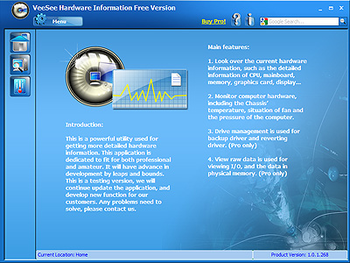
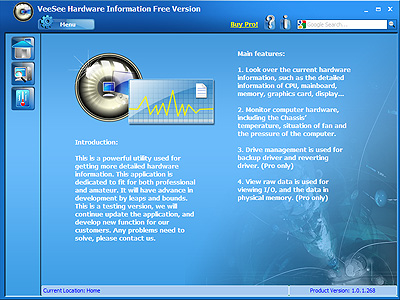
VeeSee Hardware Information Free Version is a utility designed to display hardware information. The main function of VeeSee Hardware Information are viewing the current hardwares information, such as the detailed information of CPU, mainboard, memory, graphics card, display and keeping computer monitored. Its ease in use interface and auto show pitched on professional words in Google/Yahoo search are both helpful for amateur. This utility is totally free for users.VeeSee Hardware Information Free Versions main features are offered below, then users can know our products more quickly. 1. Detect the current hardwares information. (Detailed parameters of hardware) 1.1 Show current information about this computer. 1.2 Show mainboard information, like CPUID, processor, BIOS, motherboard, memory. 1.3 Display storage information, like logical driver, physical driver. 1.4 Show network, multimedia and Windows general information. 1.5 Check out the company information of the hardware, such as AMD and nVIDIA and offer link to their homepage. 2. Dynamic monitor computer hardware in graph. 2.1 Computer devices temperature. 2.2 Speed of fan. 2.3 The voltage of the computer devices. 2.4 CPU usage and memory usage. 3. Display sensor icons automatically.
Whats new in this version:
Version 1.0.1.546 may include unspecified updates, enhancements, or bug fixes.



 Windows 2000 and above
 View Screenshots(1)
 Comments
 Download




 Similar Software


 Recently Searched
 Software Categories
 Trending Software


 Like Us

