Works on: Windows 10 | Windows 8.1 | Windows 8 | Windows 7 | Windows XP | Windows 2000 | Windows 2003 | Windows 2008 | Windows 98 | Windows ME | Windows NT | Windows Vista | Windows 2012 SHA1 Hash: 1a3d8b0c9ad49b6ac1f7c295e46dae84f3fbebc9 Size: 14.49 MB File Format: exe
Rating: 2.4
out of 5
based on 23 user ratings
Publisher Website: External Link Downloads: 225 License: Demo / Trial Version
VeryPDF PPT to Flash 3D Wall is a demo software by Verypdf and works on Windows 10, Windows 8.1, Windows 8, Windows 7, Windows XP, Windows 2000, Windows 2003, Windows 2008, Windows 98, Windows ME, Windows NT, Windows Vista, Windows 2012.
You can download VeryPDF PPT to Flash 3D Wall which is 14.49 MB in size and belongs to the software category Accounting and Billing Software. VeryPDF PPT to Flash 3D Wall was released on 2013-01-28 and last updated on our database on 2017-04-25 and is currently at version 2.
Thank you for downloading from SoftPaz! Your download should start any moment now. It would be great if you could rate and share:
Rate this software:
Share in your network:
VeryPDF PPT to Flash 3D Wall Description
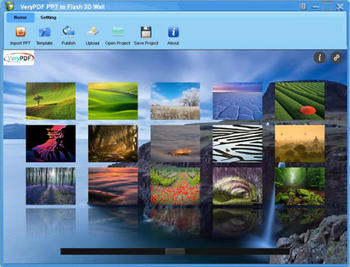
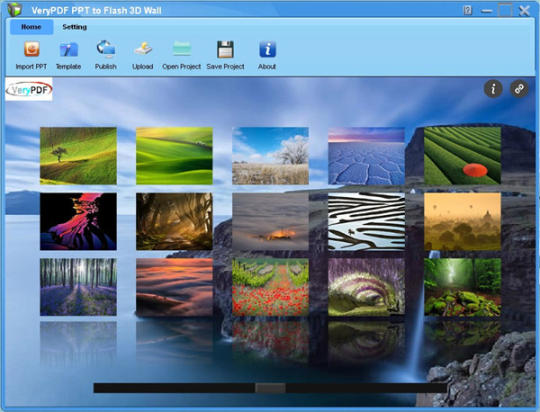
VeryPDF PPT to Flash 3D Wall can help you convert PowerPoint to 3D flash with 3D transition and animation effects. It enables you to view and show your PPT via any popular browser. You can put your PPT on a cloud server such as Dropbox, and then view, share, and show PPT wherever you are.A. Convert PPT/ PPTX to flashconvert PPT/PPTX to flash (HTML, ZIP or EXE), which can be saved on remote server such as Dropbox when you want to view and share PPT online with your friends. Specify an image/pure color/gradient color as the output flash background. Add logo and link to flash 3D wall. Apply any built-in template to the flash 3D wall.B. Make movie-like flash 3D wallcreate movie-like flash 3D wall with seamless thumbnails between thumbs and large slides. You can open the flash 3D wall with any popular browser such as IE, Chrome, Firefox, and Safari. Glow and reflection effects are added to the edges of thumbnails and slides to render the flash 3D wall. Advanced image processing algorithms are applied to enhance the slide quality.C. Fantastic viewer experiencesviewers can scroll, tilt and zoom in/out the flash 3D wall using either mouse or arrow keys on the keyboard or dragging the button of the slider bar under the flash 3D wall on the screen. Click any thumbnail to zoom in/out slide. Scroll mouse to zoom in/out the entire 3D wall. Press and move the right mouse button over blank area to tilt and drag the whole 3D wall. Features of VeryPDF PPT to Flash 3D Wall:1. Add branding or logo to the 3D flash and allow you to add hyperlink to the logo.2. Define background for flash 3D wall: use pure color, gradient color or image.3. Tile, center or stretch the image background.4. Change gradient color angle.5. Add information like title, email address, description, etc. for the 3D flash wall.6. Hide or display the information and share buttons.7. Save flash 3D wall as HTML, ZIP or EXE.8. Set page range when input PPT/PPTX.9. Provide multiple templates for setting the flash 3D wall background.
Where to buy?
Last updated price and discount information 9 years agoupdate now



 Windows NT and above
 View Screenshots(1)
 Comments
 Download





 Similar Software


 Recently Searched
 Software Categories
 Trending Software


 Like Us
