Works on: Windows 10 | Windows 8.1 | Windows 8 | Windows 7 | Windows XP | Windows 2000 | Windows 2003 | Windows 2008 | Windows 98 | Windows ME | Windows Vista | Windows 2012 SHA1 Hash: 21372ff241f6037a00c37d83872bd6c44ee024a6 Size: 7.04 MB File Format: zip
Rating: 2.5
out of 5
based on 23 user ratings
Downloads: 203 License: Free
VidBox is a free software by VidBox and works on Windows 10, Windows 8.1, Windows 8, Windows 7, Windows XP, Windows 2000, Windows 2003, Windows 2008, Windows 98, Windows ME, Windows Vista, Windows 2012.
You can download VidBox which is 7.04 MB in size and belongs to the software category Video. VidBox was released on 2011-07-21 and last updated on our database on 2017-04-23 and is currently at version 8.
Thank you for downloading from SoftPaz! Your download should start any moment now. It would be great if you could rate and share:
Rate this software:
Share in your network:
VidBox Description
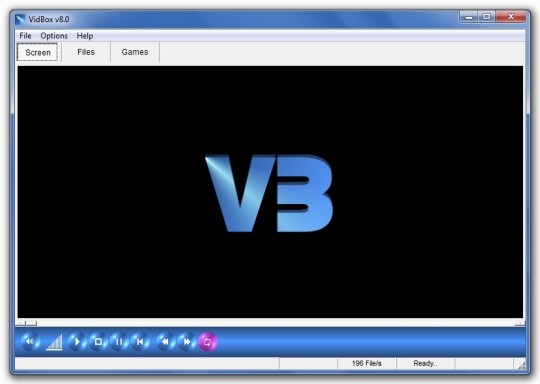
VidBox Began as a humble piece of software and has slowly beendeveloped into a very unique and stylish Multimedia player.VidBox has a very User Friendly interface, its large file display makes it easy to scroll through your favorite media, as an Mp3 player it sits perfectly in the system tray and plays all your music files one after another. Create a play listif you wish and become your own DJ, play assorted audio, video, shockwaveand graphic files with ease. Its built-in Image viewer can display your photosquickly and at full screen with simple mouse click scrolling, There are many things to discover, so If you have large collection of media, VidBox is the right choice for you - "A Fast, Efficient and Unique Multimedia Player" VidBox was originally designed as an alternative to WMP, there is nothing over complicated or confusing about its interface and is a pleasure to use. It supports all common and/or popular formats and comes with some extra features not common to most media players.When VidBox has been Minimized, simply hover the VidBox icon in your system tray and the Mini Control will popup, from here you can controlthe playback and select the next or previous file, handy to use withoutbringing up the main window and perfect for music control.VidBox has a handy Renamer utility which can format the names of multiple files,simply select your options for name cleanup and press "Format All", here is anexample.. Often media files which are downloaded from the net have long filenamescontaining various dots, lines, brackets, user names etc. These can be hard toread and can even interfere with applications (If they contain certain symbols).VidBox Renamer will take a filename such as "some_cool_music.(by gordon).mp3"and formats it automatically into "Some Cool Music.mp3". It doesnt have to bemusic files either, it will format the name of any supported file type including graphic files. This is one tool i use myself quite often, saves time doing it manually.
Whats new in this version:
Version 8.0 comes with a new tab boasting a selection of popular shockwave games playable full screen using your keyboard and/or mouse.



 Windows 98 and above
 View Screenshots(1)
 Comments
 Download




 Similar Software


 Recently Searched
 Software Categories
 Trending Software


 Like Us
