Works on: Windows 10 | Windows 8.1 | Windows 8 | Windows 7 | Windows 2012 SHA1 Hash: 27c084baaf14dbfde039a75f57266ea7d35ebd9e Size: 31.51 MB File Format: exe
Rating: 1.9
out of 5
based on 23 user ratings
Publisher Website: External Link Downloads: 1378 License: Demo / Trial Version
Xilisoft RM Converter is a demo software by Xilisoft.com and works on Windows 10, Windows 8.1, Windows 8, Windows 7, Windows 2012.
You can download Xilisoft RM Converter which is 31.51 MB in size and belongs to the software category Hard Disk and CD DVD BluRay Utilities. Xilisoft RM Converter was released on 2011-02-10 and last updated on our database on 2017-06-14 and is currently at version 6.
Thank you for downloading from SoftPaz! Your download should start any moment now. It would be great if you could rate and share:
Rate this software:
Share in your network:
Xilisoft RM Converter Description
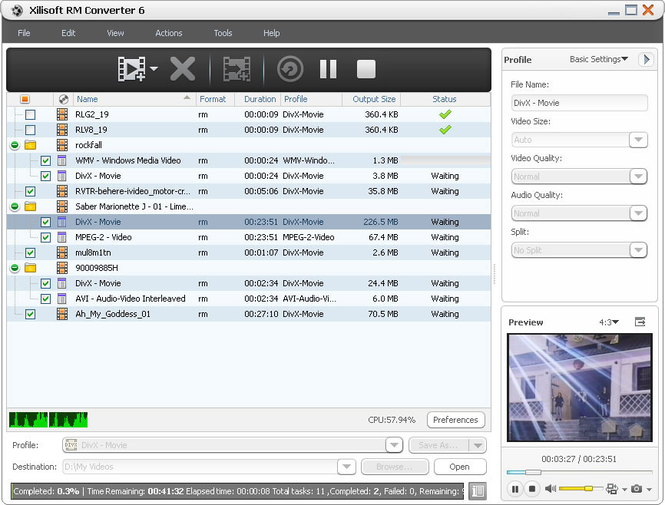
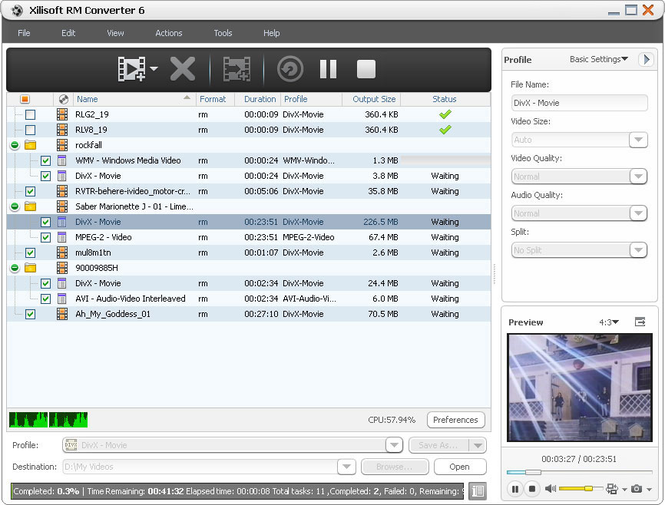
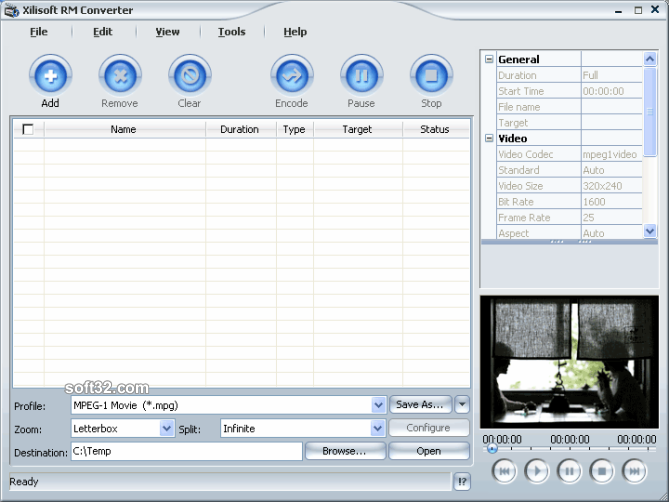
Xilisoft RM Converter is a powerful RM, RMVB and RAM converter, extremely easy to use. This converter succeeds in converting Real Media files to video and audio formats as a breeze, finishing your tasks with fast speed and excellent image/sound quality, which can bring you much joyful multimedia life.
Xilisoft RM Converter can support converting RM and RMVB files to popular video formats including AVI, MPEG1/2, WMV, Divx, and converting RM and RMVB to audio formats MP3 and WAV.
New added features:
1. Added Italy language interface.
2. Makes the built-in player resizable (Switch the zoom mode between 4:3 and 16:9)
3. Offers the function of power management
Key features:
1. Support APE and CUE decoding, audio CD ripping;
2. Zoom and split functions were added;
3. Xilisoft RM Converter supports batch conversion. You can select all files you want to convert and Xilisoft RM Converter will automatically encode them one by one even if these files use different settings.
4. It can convert any clip or segment. You can convert any clip or segment by setting the start point and duration at will.
5. It supports multi-language. You can choose what language you like to use the software.
6. Compared with other similar software, Xilisoft RM Converter has more settings you can customize. For example, Audio codec, bitrate, sample rate etc. can be selected. However, you can also keep the default setting to get the best output quality when you begin to convert your files etc.
7. Provide both general and advanced settings, such as customizing output file size with video bit rate obtained accordingly;
8. Support setting divers output profiles for one video source at the same time;
9. Support run in background for more efficiency.
Where to buy?
Last updated price and discount information 9 years agoupdate now



 Windows 7 and above
 View Screenshots(3)
 Comments
 Download





 Similar Software


 Recently Searched
 Software Categories
 Trending Software

 Like Us


