Version: 2.1 Last Updated: 16 Apr 2017 Release: 10 Mar 2008 Category: Network Tools
Rate this software:
166 downloads
View Screenshots(1)
Comments
Download
Liked it? Tell others:
EMCO Remote Audit Details
Works on: Windows 10 | Windows 8.1 | Windows 8 | Windows 7 | Windows XP | Windows 2000 | Windows 2003 | Windows 2008 | Windows Vista | Windows 2012 SHA1 Hash: 833b5b045bf3d30c802600f06eb63300f6d0a85c Size: 30.79 MB File Format: exe
Rating: 2.3
out of 5
based on 23 user ratings
Publisher Website: External Link Downloads: 166 License: Demo / Trial Version
EMCO Remote Audit is a demo software by Emco Software and works on Windows 10, Windows 8.1, Windows 8, Windows 7, Windows XP, Windows 2000, Windows 2003, Windows 2008, Windows Vista, Windows 2012.
You can download EMCO Remote Audit which is 30.79 MB in size and belongs to the software category Network Tools. EMCO Remote Audit was released on 2008-03-10 and last updated on our database on 2017-04-16 and is currently at version 2.1.
Thank you for downloading from SoftPaz! Your download should start any moment now. It would be great if you could rate and share:
Rate this software:
Share in your network:
EMCO Remote Audit Description
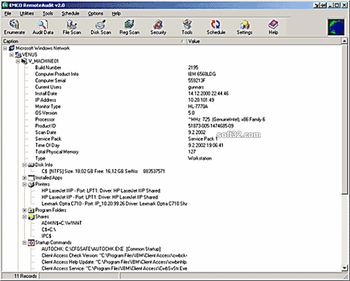
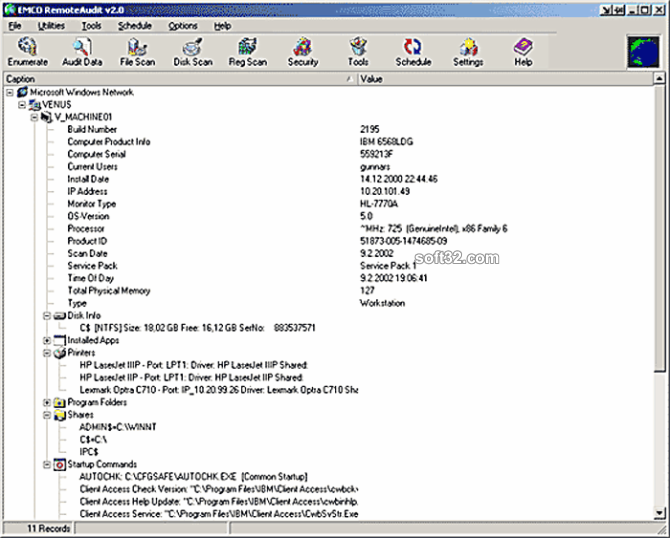
EMCO RemoteAudit 2.0 collects installed software and hardware information from Microsoft Network with export options to Access Excel Html and XML. It is a read-only operation, nothing is written until exporting the collected data. FETCH NEW function that detects all computers added to the Network. For NT4/W2K/XP there is no need to install any clients or services at remote end. WinX/ME needs a logon script. With Custom Scan Database you can add filenames or a registry location of a program that you want to add to the list of installed software, additional to what you see listed in Add/Remove Programs under Control Panel.
Information collected:
* Domain/Workgroup
* Computer Name
* Computer Description,
* Operating System (Version, Build, Service pack, Prod. ID)
* Last Logged on User
* IP Address
* Type of computer (Desktop, Laptop, Server)
* Total Physical Memory
* Processor (Speed, Type)
* Scan Date
* Hardware serial number, Monitor type, Vendor. (Depending on WMI)
* Hard disk information, size and remaining disk space
* Printers
* Shares
* Mapped network drives
* Program folders
* Startup commands
* Two custom fields
* Exclude option for Installed applications titles
* Schedule for Update and Fetch new
* Registry Scanning for multiple values
* Custom Scan for required matching value in registry/File
* Manual editing, allowed to edit from scratch
Where to buy?
Last updated price and discount information 9 years agoupdate now



 Windows XP and above
 View Screenshots(1)
 Comments
 Download





 Similar Software


 Recently Searched
 Software Categories
 Trending Software


 Like Us


