Version: 4.5 Last Updated: 23 Apr 2017 Release: 28 Mar 2012 Category: Multimedia > Graphic
Rate this software:
246 downloads
View Screenshots(1)
Comments
Download
Liked it? Tell others:
GWDView Details
Works on: Windows 10 | Windows 8.1 | Windows 8 | Windows 7 | Windows XP | Windows 2000 | Windows 2003 | Windows 2008 | Windows 98 | Windows ME | Windows NT | Windows 95 | Windows Vista | Windows 2012 SHA1 Hash: cb0fa411270950c4adab9f88d4781ec1aa56abd8 Size: 2.85 MB File Format: exe
Rating: 1.7
out of 5
based on 23 user ratings
Publisher Website: External Link Downloads: 246 License: Demo / Trial Version
GWDView is a demo software by GWD Technologies and works on Windows 10, Windows 8.1, Windows 8, Windows 7, Windows XP, Windows 2000, Windows 2003, Windows 2008, Windows 98, Windows ME, Windows NT, Windows 95, Windows Vista, Windows 2012.
You can download GWDView which is 2.85 MB in size and belongs to the software category Graphic. GWDView was released on 2012-03-28 and last updated on our database on 2017-04-23 and is currently at version 4.5.
Thank you for downloading from SoftPaz! Your download should start any moment now. It would be great if you could rate and share:
Rate this software:
Share in your network:
GWDView Description
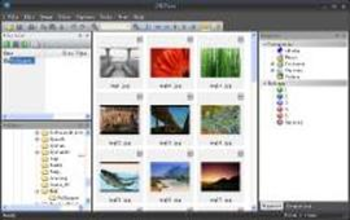
GWDView is a powerful and easy-to-use image viewer that supports over 20 image formats including BMP, GIF, JPEG, PNG and more. You can view images as a slide show with over 40 transition effects. It also supports media, text, font, HTML, binary and other files. This program provides several ways for you to get images. You can acquire images from any TWAIN compatible devices such as scanners or cameras. The screen capture utility allows you to capture images on your computer screen. GWDView can handle images up to 30,000 by 30,000 pixels. It includes a wide variety of image editing tools you can use to modify, correct, and enhance your images. This software contains many file management tools to help you browse, copy, move, rename, delete, and verify your files. The category and rating systems let you easily classify your files. Its simple to assign keywords and add other information to your files. You can search for files by name, type, date, size, keywords and other search criteria. With GWDView, you can easily convert your favorite pictures into Windows icons. The image batch processing tool provides the ability to perform actions such as format conversion, resizing, rotation, adjusting color, adding borders and shadow, watermarking, and more on multiple image files at once.
Whats new in this version:
Version 4.50 has support for archive files, added support for viewing and editing metadata, and preview options for images.
Where to buy?
Last updated price and discount information 9 years agoupdate now



 Windows 95 and above
 View Screenshots(1)
 Comments
 Download





 Similar Software


 Recently Searched
 Software Categories
 Trending Software
 Like Us


